 Zum Inhalt springen








Q1 2026 saw 1,138 ransomware attacks across the Americas with average payments hitting $4.2 million—up 38% from 2025. AI-enhanced ransomware achieves 73% success rates, with attacker dwell time dropping from 9 days to 47 hours.
For dedicated server clients, this is your threat environment. Unlike managed cloud services, you own complete security responsibility—from OS hardening to incident response. More control means better performance, but every security gap is yours to close.
The cost of failure: GDPR violations reach €20 million or 4% global revenue. HIPAA breaches average $7.42 million. PCI DSS non-compliance brings $5,000-$100,000 monthly fines. Then customer trust evaporates.
This guide covers network security for dedicated servers—not generic tips, but a framework addressing how attacks unfold and how businesses respond.
Inhaltsverzeichnis
- Why Security Became Mission-Critical in 2026
- Three Attack Patterns Targeting Dedicated Servers
- Foundation Layer: Non-Negotiable Controls
- DDoS Protection: Why Firewalls Fail
- Ransomware Defense: Surviving Breaches
- Monitoring: You Can’t Protect What You Can’t See
- Compliance as Security Framework
- Incident Response: When Attackers Get In
- Atal Networks Security Foundation
- FAQ
- Building Security That Survives
- Take Action Today
- Deploy Secure Infrastructure

Why Security Became Mission-Critical in 2026
Three forces converged:
Ransomware professionalized. Ransomware-as-a-Service lets low-skilled affiliates launch enterprise attacks. Volume up 47%, though payments declined as defenses improved.
AI transformed attacks. Autonomous reconnaissance at 36,000 probes/second. Polymorphic malware rewrites itself. Attack lifecycles compressed 80%. CISA reports defenders have hours, not days.
Identity became the entry point. 1.8 billion credentials stolen H1 2025. Attackers log in legitimately, bypassing perimeter defenses. No malware signature. No vulnerability. Just valid access.
The paradox: You chose dedicated hosting for control. That control means responsibility. Backups fail when attackers leak data. Firewalls can’t stop insiders. Patches don’t help against zero-days. Success requires defense in depth and assume breach mentality.
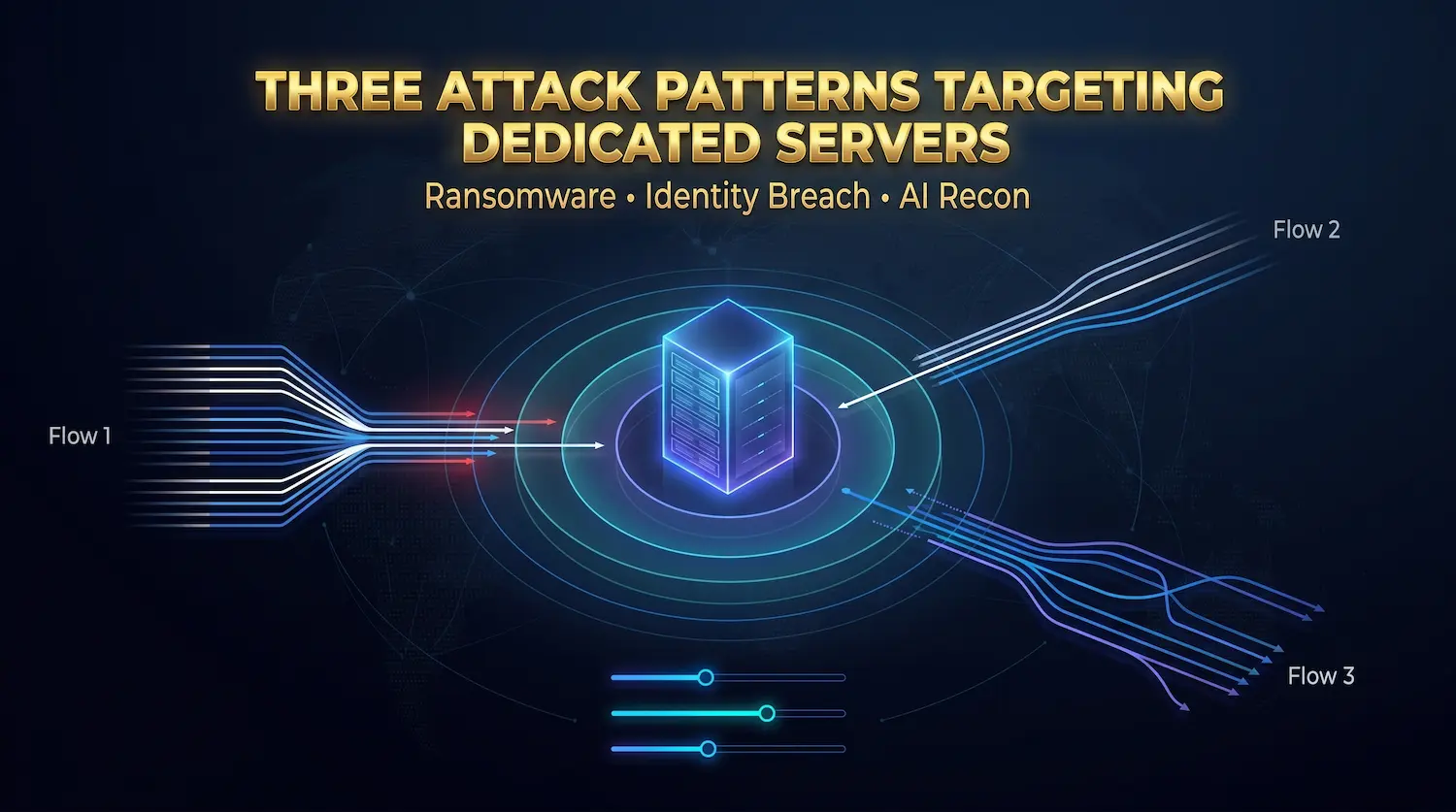
Three Attack Patterns Targeting Dedicated Servers
Triple Extortion Ransomware
Modern ransomware goes beyond encryption. Attackers infiltrate networks through compromised credentials or phishing, spend weeks identifying critical systems, exfiltrate sensitive data, then encrypt.
The extortion: Pay for decryption keys. When you restore from backups, they threaten to publish stolen data. Still refuse? They launch DDoS attacks during recovery. Some groups contact your customers directly. Black Cat even filed SEC complaints against victims for delayed breach disclosure.
According to Recorded Future, attacks rose to 7,200 in 2025 from 4,900 in 2024—47% increase. Average payments declined as organizations implemented better recovery. This drives groups toward more aggressive tactics.
Why backups alone fail: You can restore encrypted files. You cannot un-steal data. Data exposure becomes permanent regardless of recovery capabilities.
Identity-Led Compromise
Attackers obtain credentials through phishing, credential stuffing, or buying access from brokers. With valid credentials, they authenticate through VPN or SSH like legitimate users. Security tools see normal login behavior because it is normal—credentials are valid.
Inside, attackers use native admin tools. On Linux: SSH, rsync, bash scripts. These tools exist legitimately, making malicious use nearly invisible. Traditional antivirus can’t detect it—no malicious files. Only behavioral analysis catches compromised accounts executing unusual commands.
The credential theft economy matured. Infostealers harvested 1.8 billion credentials H1 2025. Brokers sell to ransomware affiliates. Time between theft and malicious use: hours.
Defense shift required: MFA becomes non-negotiable. Privileged access management grants time-limited elevation instead of permanent sudo. Behavioral monitoring watches for unusual access patterns—legitimate credentials at unusual times, locations, or accessing unusual data.
AI-Powered Reconnaissance
AI reconnaissance scans thousands of targets simultaneously, identifying vulnerable services and misconfigurations in minutes. Polymorphic malware rewrites itself continuously—same malicious function, different appearance to evade signature detection. Some variants detect analysis sandboxes, staying dormant during testing.
Autonomous exploitation chains represent the biggest concern. AI agents identify vulnerabilities, chain exploits for privilege escalation, adapt to defenses—all without human intervention. Researchers predict mid-2026 will see major breaches where AI conducts entire attack lifecycles autonomously.
Impact: Attack windows compressed. Manual security processes can automation becomes mandatory for patching, detection, and response.

Foundation Layer: Non-Negotiable Controls
Patch Management That Works
Unpatched vulnerabilities = #1 exploit vector. Automated bots scan continuously, exploiting within hours of disclosure. Manual patching can’t keep pace.
Enable automated security updates: unattended-upgrades (Ubuntu/Debian) or dnf-automatic (RHEL/CentOS). Configure for automatic security patches; reserve major upgrades for manual testing. Kernel live patching (Ubuntu Livepatch, Red Hat kpatch) applies critical updates without reboots.
Beyond OS: Keep web servers, databases, runtimes current. Test updates in staging before production. Verify with weekly vulnerability scans using OpenVAS, Nessus, or Qualys.
SSH Hardening: Your Primary Access Vector
SSH receives constant attacks. Automated bots continuously probe port 22 attempting brute-force password guessing, credential stuffing with breached password lists, and exploitation of SSH service vulnerabilities.
Why SSH hardening matters: Every failed authentication attempt in your logs represents an actual attack. Unhardened SSH servers receive thousands of attack attempts daily. Proper hardening eliminates entire attack categories.
Key-based authentication only. Generate strong SSH key pairs using either RSA 4096-bit keys or modern Ed25519 keys which provide equivalent security with better performance. Distribute public keys to your server’s ~/.ssh/authorized_keys file, configure SSH to accept only key-based authentication via PubkeyAuthentication yes, then disable password authentication completely with PasswordAuthentication no. This single change eliminates brute force attacks—password guessing cannot succeed when passwords are not accepted.
Protect private keys with passphrase encryption. An unencrypted private key discovered on a compromised laptop grants immediate server access. Implement key rotation policies for sensitive environments, replacing SSH keys on defined schedules to limit exposure windows if keys become compromised.
Change default port from 22. This doesn’t provide security through obscurity—determined attackers will find your SSH port regardless. It does dramatically reduce log noise from automated scanning scripts that exclusively target port 22. Your logs become far easier to analyze when they contain actual security events rather than thousands of failed bot attempts daily. Choose a random port above 1024.
Disable root login completely. Set PermitRootLogin no in SSH configuration. Administrative users should connect with personal accounts then elevate privileges through sudo. This creates audit trails that identify which specific administrator performed which actions. When something goes wrong, you know who to ask instead of seeing only “root” in logs.
Add multi-factor authentication (MFA). Google Authenticator PAM modules integrate with SSH, requiring both key-based authentication and time-based one-time password (TOTP) codes for successful connections. Configure this by installing libpam-google-authenticator and adding authentication requirements to PAM configuration. This protects against scenarios where private SSH keys are compromised through laptop theft, malware, or social engineering.
Deploy Fail2Ban for automated response. Fail2Ban monitors log files for repeated failed authentication attempts, temporarily or permanently banning offending IP addresses through firewall rules. Configure it to ban IPs after three failed SSH attempts within ten minutes. Legitimate users rarely trigger this threshold accidentally, while automated attacks get blocked immediately, reducing server load and log noise.
After modifying SSH configuration, always test new settings before disconnecting your current session. Maintain one active connection while testing new connection attempts from another terminal to avoid locking yourself out. Verify you can connect with keys, MFA works correctly, and password authentication is truly disabled by attempting password-based connection (which should fail).
Firewall Architecture: Defense in Depth
Properly configured firewalls control which network traffic reaches your server and which connections your server initiates. The default-deny philosophy guides effective configuration: block everything by default, then explicitly allow only necessary services.
Host-based firewalls run directly on servers, providing the last line of network defense. UFW (Uncomplicated Firewall) on Ubuntu systems and firewalld on RHEL-family distributions provide accessible interfaces to underlying iptables/nftables packet filtering frameworks.
Essential ports for typical web servers include HTTP (80), HTTPS (443), and your custom SSH port. Every additional open port expands attack surface. Database servers commonly use ports 3306 (MySQL), 5432 (PostgreSQL), or 27017 (MongoDB), but these should never be directly accessible from the internet. Restrict database ports to localhost or specific internal IP addresses using firewall rules that permit access only from application servers that legitimately need database connectivity.
Egress filtering controls outbound traffic alongside inbound restrictions. This often-overlooked defensive layer protects against data exfiltration. Compromised servers frequently attempt outbound connections to command-and-control infrastructure for instructions or data exfiltration endpoints for stolen information. Egress rules limit which external services your server can contact—for example, allowing updates from official repositories while blocking connections to unknown destinations. This reduces attackers’ ability to leverage compromised systems even after gaining initial access.
Web Application Firewall (WAF) provides Layer 7 protection against application-specific attacks that network firewalls cannot recognize. Unlike network firewalls that analyze packet headers, WAFs understand HTTP/HTTPS protocols and identify attacks like SQL injection attempts, cross-site scripting (XSS), command injection, and other vulnerabilities from the OWASP Top 10. Modern WAFs include rate limiting to prevent abuse, geographic IP blocking to restrict access from high-risk regions, and machine learning capabilities that improve threat detection over time by analyzing attack patterns.
Network segmentation divides infrastructure into isolated zones based on security requirements and trust levels. Database servers operate in protected network segments accessible only from application servers through specific ports—typically on private network interfaces not exposed to the internet. Public-facing web servers sit in demilitarized zones (DMZ)—network segments positioned between external networks and internal infrastructure. Compromised DMZ systems cannot easily pivot to attack internal resources because network segmentation blocks lateral movement by default.
PCI DSS compliance requirements explicitly mandate network segmentation for environments processing payment card data. Systems storing, processing, or transmitting cardholder data must be isolated from general corporate networks. This compliance requirement simultaneously improves overall security posture by containing potential breaches and limiting the scope of security controls required to meet compliance standards.
Access Control
Least privilege principle:
- Individual accounts (never shared root)
- Sudo without NOPASSWD (except specific scripts)
- Service accounts for apps (web server ≠ root)
- MFA on administrative interfaces
Role-based access control (RBAC) assigns permissions by job function. Define roles with specific permissions. Personnel changes = role reassignment, not permission reconfiguration.

DDoS Protection: Why Firewalls Fail
Volumetric DDoS floods network connections. If attackers send 100 Gbps at your 10 Gbps pipe, 90 Gbps never reaches your firewall—it saturates uplink first, making your server unreachable regardless of CPU power or firewall rules.
The physics problem: Bandwidth exhaustion happens upstream from defensive controls. Host-based firewalls can’t protect against saturation occurring before traffic reaches them.
Effective protection: Upstream mitigation through scrubbing centers. Traffic redirects through cleaning facilities via BGP routing, gets filtered, then forwarded to your server. You receive only legitimate traffic during attacks.
Atal Networks approach: 40 Gbit/s DDoS protection included with every dedizierter Server. Always-on network-level filtering prevents bandwidth saturation. No manual activation delays. Upgradeable for higher-risk workloads.
Application-layer defense: Rate limiting, CAPTCHA challenges, CDN integration supplement upstream protection against sophisticated Layer 7 attacks.

Ransomware Defense: Surviving Breaches
Assume breach. Determined attackers will eventually get in. Can you minimize impact and recover quickly?
Immutable Backups
3-2-1 rule: 3 copies, 2 media types, 1 offsite. Guards against hardware failure and site disasters.
Immutability matters: Modern ransomware targets backups. Write-once-read-many (WORM) storage prevents modification even by admins. Attackers can’t encrypt backups they can’t modify.
Air-gapped storage: Physical network separation. Backups on disconnected media can’t be reached even with complete network access.
Test weekly: Restore to staging, verify integrity, document procedures. Backup strategy = last successful test.
RTO/RPO: Recovery Time Objective = how fast you restore. Recovery Point Objective = maximum data loss tolerance. These metrics drive backup frequency and architecture.
Real scenario: Healthcare provider hit with ransomware. Database unaffected (network segmentation). Restored web servers from immutable backups in 4 hours. No data exposure, no HIPAA breach. Cost: $12K labor + downtime. Same attack without preparation averages $2.3M per IBM’s breach report.
Endpoint Detection & Response (EDR)
Traditional antivirus = signature-based. Fails against living-off-the-land attacks (no malicious files) and polymorphic malware.
EDR analyzes behavior:
- Credential theft detection
- Lateral movement tracking
- Automated containment
- Forensic evidence collection
Business case: $4.2M average ransom vs. $50-$150/endpoint annually for EDR. Organizations with EDR detect + contain ransomware before encryption far more frequently.
Network Segmentation
Divide infrastructure into isolated zones. Communication between zones requires explicit authorization.
Web servers in DMZ can’t directly access database servers. Databases accept connections only from authorized app servers on specific ports. Ransomware infecting web servers can’t spread to databases, backups, or admin systems.
Implementation: VLANs, private networks, micro-segmentation. Limit blast radius even when attackers penetrate perimeter.

Monitoring: You Can’t Protect What You Can’t See
Security monitoring provides visibility needed to detect attacks early—ideally before they escalate to full compromises. The shift from reactive to proactive security depends entirely on visibility.
Centralized Logging (SIEM)
Security Information and Event Management (SIEM) systems aggregate logs from all infrastructure components into unified platforms where correlation and analysis occur. The fundamental problem SIEM solves: individual system logs reveal local events, but attacks typically manifest across multiple systems simultaneously.
An attacker might probe your firewall from one IP address while attempting SSH authentication from another IP, then accessing a web application from a third. Each system logs these events independently. Only centralized log aggregation reveals these seemingly unrelated activities as components of a coordinated campaign originating from the same threat actor.
SIEM platforms use correlation rules to detect complex attack indicators. Example correlation: Failed SSH authentication attempts from a specific IP address followed by successful authentication from the same source within 24 hours triggers high-priority alerts. This pattern suggests potential credential compromise through brute force or credential stuffing—something individual log entries cannot reveal.
Key metrics requiring continuous monitoring:
Failed authentication attempts indicate potential brute-force attacks. Patterns matter more than individual events. Repeated failures from single IP addresses suggest automated attack tools systematically testing credentials. Failed attempts using valid usernames but incorrect passwords indicate attackers who partially compromised your user database or obtained username lists through reconnaissance.
Unusual outbound connections often reveal compromised systems. Servers typically communicate with predictable destinations—operating system update repositories, monitoring systems, database replication targets, content delivery networks. Unexpected outbound connections to unfamiliar IP addresses, especially on unusual ports or to countries where you don’t operate, suggest malware command-and-control communication or data exfiltration attempts. DNS queries for suspicious domains can also indicate malware attempting to resolve C2 infrastructure.
Privilege escalation events demand immediate investigation. Every sudo command execution, every elevation to root privileges, every administrative action generates log entries. Unexpected privilege escalation—especially from service accounts that shouldn’t require elevated access or during off-hours when no administrators should be working—requires urgent response. This often represents the moment attackers transition from initial compromise to system takeover.
File integrity changes to critical system files indicate potential tampering. Attackers frequently modify system binaries to hide their presence, alter configuration files to maintain persistence, or install kernel modules for rootkit functionality. File integrity monitoring using tools like AIDE (Advanced Intrusion Detection Environment) or Tripwire detects these unauthorized changes in real-time by comparing current file states against known-good baselines.
Resource anomalies like CPU or RAM spikes without corresponding legitimate workload increases often indicate cryptocurrency mining malware (which consumes substantial CPU resources), participation in DDoS botnets (which can spike network utilization), or other malicious resource consumption. Establish baseline resource usage patterns, then alert on significant deviations.
Long-term log retention serves both compliance requirements and forensic analysis needs. Regulations like PCI DSS mandate retaining logs for at least one year, with three months immediately accessible for analysis. Beyond compliance obligations, historical logs enable forensic investigations to determine attack timelines, identify initial compromise vectors when incidents are discovered months after they occurred, and understand attacker behavior patterns that inform defensive improvements.
Intrusion Detection
Network IDS (NIDS): Monitors traffic for port scans, exploits, malware signatures. Host IDS (HIDS): Watches file mods, process behavior, config changes. Signature-based: Catches known attacks. Anomaly-based: Identifies deviations from normal—catches zero-days but generates more false positives.
Vulnerability Management
Weekly scans: OpenVAS, Nessus, Qualys identify missing patches, misconfigurations. Quarterly penetration testing: Required by PCI DSS, smart for everyone. Simulates real attacks to find weaknesses scans miss. Patch prioritization: Fix remotely exploitable vulnerabilities in internet-facing services first.

Compliance as Security Framework
Regulations encode proven practices into auditable requirements.
GDPR (EU Personal Data)
Penalty: €20M or 4% global revenue, whichever higher. EU enforcement increasingly aggressive.
Requirements:
- Encryption at rest + in transit (full disk encryption, TLS 1.3)
- Access controls with audit trails (RBAC, MFA)
- Breach notification within 72 hours
Security benefit: Forced encryption, access control, monitoring protect against real threats. Compliance drives better security.
HIPAA (US Healthcare)
Penalty: Up to $1.5M annually per violation category. HHS actively enforces.
Requirements:
- ePHI encryption (patient data at rest + transit)
- MFA for admin access
- Business Associate Agreements (BAAs)
- Annual risk assessments
Implementation: Encrypted backups, VPN-only admin access, session timeouts. Check Atal Networks HIPAA compliance.
PCI DSS (Payment Cards)
Penalty: $5K-$100K/month from banks, potential relationship termination. PCI SSC enforces.
12 requirements: Firewalls, encryption, access control, monitoring, testing, policies.
Compliance levels: Based on transaction volume. 6M+ annually = quarterly scans + annual audit. Lower volumes = Self-Assessment Questionnaires.
Security benefit: Change management, incident response, business continuity create operational resilience beyond payment security.
Compliance Automation
Infrastructure as Code (Terraform, Ansible) maintains version-controlled configs. Prevents drift, enforces baselines automatically. Automated scanning identifies deviations before they become violations. Continuous audit readiness beats scrambling during audits.

Incident Response: When Attackers Get In
Preparation
- IR team: Defined roles for detection, containment, recovery, communications
- Forensic tools ready: Memory capture, packet analyzers, file integrity tools
- Quarterly tabletop exercises: Practice procedures, identify gaps
Detection & Analysis
- SIEM alerts trigger investigations
- Scope determination: Which systems? What data? How long?
- Timeline reconstruction: When did compromise occur? What did attackers do?
Containment & Eradication
- Isolate affected systems (prevent spread, preserve evidence)
- Remove all attacker access (backdoors, accounts, credentials)
- Root cause analysis: How did they get in?
Recovery & Lessons
- Restore from clean backups after verifying complete removal
- Post-incident review: Document what happened, improve procedures
- Implement lessons: Close gaps revealed by incident
Business Continuity
RTO: How fast must you recover? Different systems = different RTOs. RPO: Maximum data loss tolerance. Drives backup frequency. Failover procedures: Rapid transition to secondary systems. Communication plans: Keep stakeholders informed during disruptions.
Atal Networks Security Foundation
Infrastructure-level security support:
Physical: Tier-4 data centers, 24/7 monitoring, biometric access, ISO certified.
Network: 40 Gbit/s DDoS (always-on), multihomed BGP (100% redundancy), private network options.
Hardware: Premium Dell with TPM, secure boot, IPMI management, hardware RAID.
Compliance: GDPR-compliant data centers (213 locations), data residency options, 99.99% uptime SLA.
Support: Free migration, 24/7 expert support (real engineers), security consultation.
We provide secure infrastructure foundation. You handle application/OS security. Together: complete protection.
Erkunden dedicated server plans oder contact our team for security consultation.
FAQ
What’s the ROI of server security in 2026?
Average breach costs $4.2M. GDPR fines reach €20M. Compare against security investments: EDR $50-$150/endpoint annually, pentesting $3K-$15K quarterly. Small org investing $25K annually protects against multimillion-dollar losses. Organizations with tested IR plans pay 60% less in ransoms. ROI is clear—prevention costs less than recovery.
How do I know if I’m already compromised?
Indicators: unexpected outbound connections, unexplained CPU/memory spikes, failed auth from unknown IPs, new user accounts, modified system files, unusual cron jobs, unrecognized processes. Implement SIEM for automated analysis. Multiple indicators simultaneously = assume compromise, initiate IR.
Should I pay ransoms?
No. Doesn’t guarantee decryption. Funds future attacks. May violate OFAC sanctions. Recovery from backups costs less. Average Q1 2026 payment: $4.2M. Organizations with tested backups/IR recover for <$100K.
Which compliance applies to me?
GDPR = EU residents’ personal data. HIPAA = US healthcare providers/business associates. PCI DSS = payment card data. SOC 2 = service organizations (not legally mandated). Many need multiple. Consult compliance specialists for your situation.
Can I secure servers without a security team?
Basic hardening (SSH, firewall, patches) = yes. Advanced monitoring/response = requires expertise. Options: hire specialists (expensive), use managed security services (cost-effective), or accept higher risk with basics. For sensitive data/regulated industries, managed services often better than building internal expertise. Check Atal managed services.
How long to properly secure a server?
Initial hardening: 4-6 hours. Full implementation (logging, monitoring, backup testing, IR docs): 2-3 weeks. Ongoing: continuous process—weekly scans, monthly reviews, quarterly pentests. Security degrades without maintenance. Budget ongoing time or use managed services.
Dedicated vs. cloud security?
Cloud = shared responsibility. Provider secures infrastructure, you secure apps/data. Dedicated = you secure everything. More control enables custom implementations but requires expertise across all layers. Cloud provides built-in tools; dedicated requires manual implementation. Advantage: complete control. Challenge: operational responsibility.
How to prove security for audits?
Documentation needed: security policies, configs, change logs, access matrices, scan results, pentest reports, IR plans, backup logs, training records. Automated compliance tools continuously collect evidence. IaC provides version-controlled configs. Centralized logging with tamper-proof storage creates audit trails. Collect evidence from day one, not retroactively during audits.
Building Security That Survives
The threat landscape won’t improve. AI attacks continue compressing windows. Ransomware groups refine tactics. Compliance tightens.
Organizations succeeding share traits: Security as a continuous process, not an annual checkbox. Assume breach, optimize detection + response. Defense in depth, multiple layers. Test procedures before emergencies.
Investment is real but manageable. Comprehensive security costs less than single breaches. Org investing $50K annually (EDR, scanning, pentesting, backups, training) protects against multimillion-dollar losses. ROI favors prevention overwhelmingly.
Take Action Today
- Audit using this guide as checklist
- Implement foundation: SSH hardening, firewall, automated patches
- Enable monitoring: SIEM, automated alerts
- Test backups this week
- Document IR procedures before incidents
Deploy Secure Infrastructure
Atal Networks provides infrastructure foundation for your security strategy. Our dedizierte Server combine performance, control, infrastructure-level security—40 Gbit/s DDoS included, 99.99% uptime, Tier-4 data centers, 24/7 expert support.
Ready for secure dedicated servers?
Get Started → | Contact Security Team →
Limited-time discount for new clients. Enterprise infrastructure supporting your security requirements.
Current as of April 2026. Security is continuous—subscribe to CISA, NIST, and industry advisories for emerging threats.