 Ga naar de inhoud



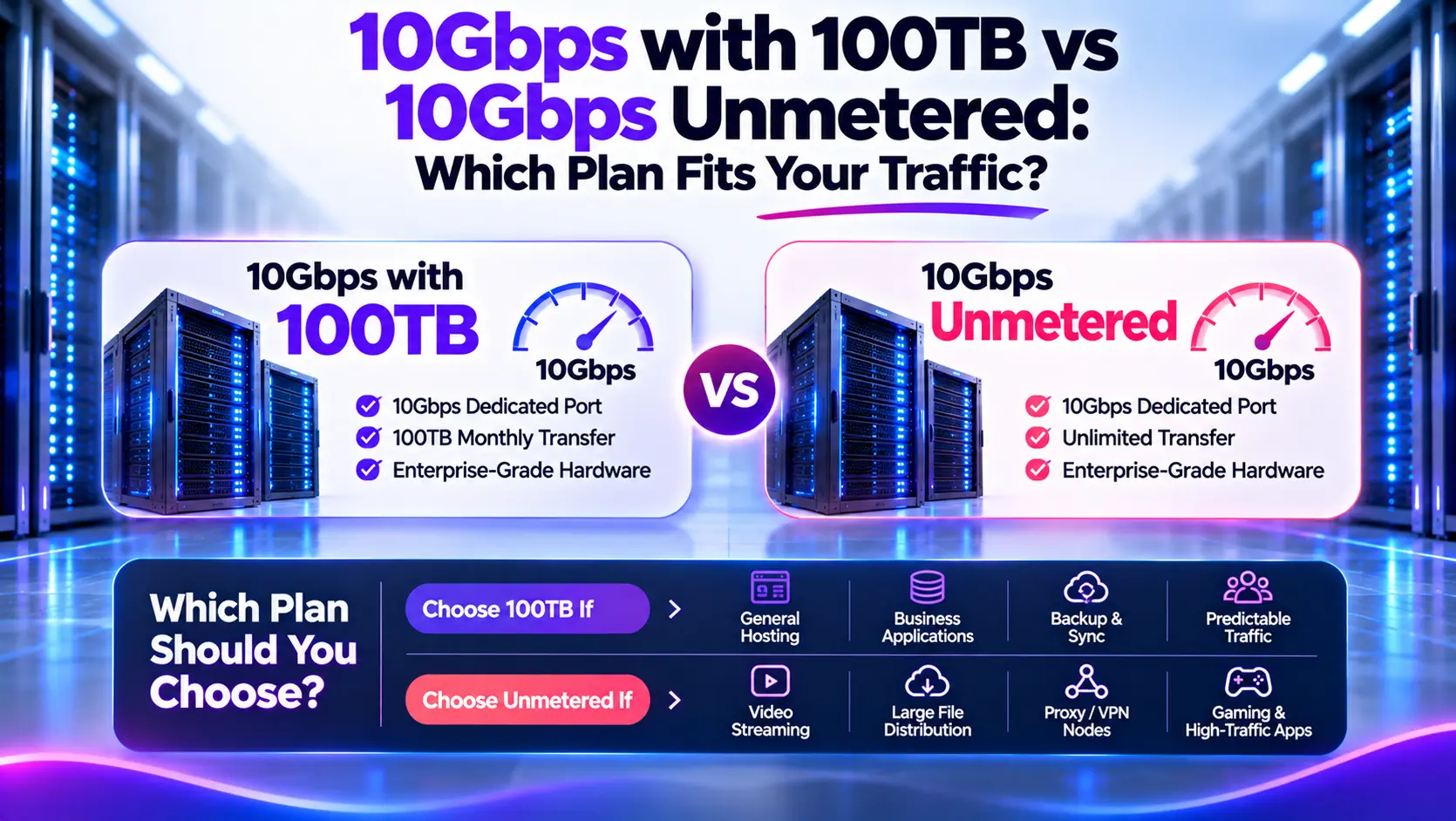
A 10Gbps plan with 100TB can suit short traffic bursts and predictable monthly usage. A 10Gbps unmetered plan can suit sustained transfers or variable demand, provided its price and service terms fit your workload. Both plans can have the same advertised port speed. Their main difference is the monthly transfer allowance and billing arrangement.
At Atal Networks, we recommend comparing three numbers before choosing: your peak transfer rate, total monthly traffic, and expected bill. A server can need a 10Gbps connection for brief periods without needing unmetered service. Another server can exceed 100TB while averaging only 500Mbps.
This guide explains the difference through transfer calculations, traffic schedules, and clearly labeled cost examples.
10Gbps with 100TB vs Unmetered: The Main Differences
| Factor | 10Gbps with 100TB | 10Gbps unmetered |
| Advertised port speed | 10 Gbps | 10 Gbps |
| Included transfer | 100TB per billing cycle under the provider’s counting rules | No fixed transfer quota under the stated service terms |
| Usage above 100TB | May trigger charges, reduced speed, or another policy | No automatic 100TB threshold unless separate terms impose one |
| Cost structure | Base fee plus applicable extra usage | Agreed recurring fee plus other applicable charges |
| Potential fit | High peaks with manageable monthly volume | Sustained or variable traffic where unmetered pricing makes sense |
| Main checks | Traffic direction, overage price, reset date | Sustained-use conditions, committed capacity, usage restrictions |
Unmetered is not automatically faster, and 100TB is not a speed limit. You need to assess capacity and billing separately.
Understand the Two Numbers in Your Plan
10Gbps Measures Connection Speed
A 10Gbps port has a nominal rate of 10 gigabits per second. Dividing by eight gives 1.25 gigabytes per second before protocol overhead.
That rate describes the connection. It does not establish how much data you will transfer each month or the speed every remote user will receive.
100TB Measures Counted Transfer
A 100TB allowance describes the data volume included during a billing cycle.
It does not mean the server has 100TB of storage. A server with 1TB of disk space can deliver the same files repeatedly and generate 100TB of monthly transfer.
Check whether the provider counts outbound traffic, inbound traffic, or both.
Unmetered Describes the Billing Arrangement
Unmetered generally means the plan does not charge against a fixed monthly transfer quota. Port capacity, network conditions, and service policies still apply.
Providers may monitor traffic for troubleshooting, capacity planning, and abuse handling even when they do not bill by the terabyte.
Onze metered, unmetered, and unlimited bandwidth comparison explains the broader terminology.
How Long Does 100TB Last at 10Gbps?
At a constant calculated rate of 10Gbps, transferring 100TB takes about 22 hours and 13 minutes. A fast port can therefore consume a large allowance quickly if traffic stays high.
The calculation is:
100TB = 100,000,000,000,000 bytes
Transfer time =
100,000,000,000,000 × 8 ÷ 10,000,000,000
= 80,000 seconds
≈ 22.22 hours
| Constant transfer rate | Calculated time to transfer 100TB |
| 1 Gbps | 222.2 hours, about 9.3 days |
| 2Gbps | 111.1 hours, about 4.6 days |
| 5Gbps | 44.4 hours, about 1.9 days |
| 10 Gbps | 22.2 hours |
These examples use decimal TB, one counted direction, and a constant transfer rate. They exclude protocol-overhead adjustments. Actual allowance consumption depends on achieved throughput and the provider’s measurement method.
A useful formula for planning transfer windows is:
Transfer in TB = Rate in Gbps × Hours × 0.45
Use measured rates where possible. Treat calculations based on advertised port speed as theoretical scenarios.
Short Bursts Can Fit Within 100TB
A high peak does not necessarily produce a large monthly total. The length and frequency of the peak matter.
Consider a server that transfers at a calculated 10Gbps during one daily window:
| Daily transfer window | Transfer per day | Transfer over 30 days |
| 15 minutes | 1.125TB | 33.75TB |
| 30 minutes | 2.25TB | 67.5TB |
| 60 minutes | 4.5TB | 135TB |
These figures exclude all other traffic.
The 30-minute schedule fits within 100TB. The one-hour schedule exceeds the allowance even though the port remains idle for most of each day.
An allowance-based plan may therefore suit:
- Scheduled backups.
- Occasional dataset transfers.
- Software releases.
- Patch distribution.
- Content updates sent to a CDN.
Include Traffic Outside the Transfer Window
Suppose daily transfer windows generate 67.5TB, and the server generates another 40TB outside those windows:
Scheduled transfer: 67.5TB
Other counted traffic: 40TB
Monthly total: 107.5TB
That exceeds the allowance by 7.5TB.
It does not automatically justify switching to unmetered. Compare the extra charge with the price difference between plans. Also check whether the provider allows paid overage or reduces speed at the limit.
Sustained Traffic Can Exceed 100TB at Much Lower Rates
A server does not need to run near 10Gbps continuously to use more than 100TB.
For a 30-day month:
Monthly transfer in TB = Average Mbps × 0.324
| Average counted rate | Calculated transfer over 30 days |
| 100Mbps | 32.4TB |
| 250Mbps | 81TB |
| About 308.64Mbps | 100TB |
| 500Mbps | 162TB |
| 1 Gbps | 324TB |
| 2Gbps | 648TB |
The ESnet transfer-rate reference also gives approximately 308.64Mbps for transferring 100TB over 30 days.
About 309Mbps is the average-rate equivalent of 100TB, not a cap on your 10Gbps port. Your traffic can rise well above that rate during busy periods if quieter periods keep the total within the allowance.
This distinction matters for streaming, VPN services, replication, and other workloads that remain active throughout the day.
Track Remaining Allowance Against Upcoming Demand
Assume your plan has 20TB remaining and you begin a transfer at a constant 5Gbps:
Hourly transfer = 5 × 0.45 = 2.25TB
Time remaining = 20 ÷ 2.25 ≈ 8.89 hours
Under these assumptions, the remaining allowance lasts about eight hours and 53 minutes.
An alert showing “80% used” provides only part of the picture. Compare the remaining allowance with the jobs and normal traffic expected before the reset date.
Compare Costs Before Choosing Unmetered
The least expensive option depends on the base price, extra-transfer rate, and monthly volume.
Keep hardware, location, management, and network capacity comparable. A price difference between two servers may reflect CPU, storage, or support differences rather than bandwidth alone.
Example: 100TB Plus Overage vs Unmetered
The prices below are hypothetical. They are not Atal Networks offers or market averages.
Assume:
- Plan A: 10Gbps with 100TB for $250 per month.
- Extra transfer: $2 per TB above 100TB.
- Plan B: Comparable 10Gbps unmetered service for $550 per month.
- Both plans permit the traffic being modeled.
- Overage uses a linear rate without rounding.
- Taxes, setup fees, and optional services are excluded.
| Monthly counted transfer | Plan A: 100TB plus overage | Plan B: Unmetered | Lower modeled cost |
| 50TB | $250 | $550 | Plan A |
| 100TB | $250 | $550 | Plan A |
| 150TB | $350 | $550 | Plan A |
| 250TB | $550 | $550 | Same |
| 400TB | $850 | $550 | Plan B |
| 1,000TB | $2,050 | $550 | Plan B |
At 150TB, the allowance-based plan remains $200 cheaper. At 400TB, the unmetered plan costs $300 less.
The allowance threshold and the financial break-even point are different numbers.
Calculate Your Break-Even Point
For linear per-TB billing:
Metered bill =
Base price + max(0, Counted TB − Included TB) × Overage rate
If the unmetered price exceeds the metered base price, and the overage rate is positive:
Break-even TB =
Included TB + (Unmetered price − Metered base price) ÷ Overage rate
Using the example:
100 + ($550 − $250) ÷ $2 = 250TB
The modeled costs match at 250TB.
Changing the overage rate changes the result:
| Overage rate | Break-even volume using the same base prices |
| $1/TB | 400TB |
| $2/TB | 250TB |
| $5/TB | 160TB |
The formula does not apply unchanged to transfer bundles, throttled plans, percentile billing, or contracts with other usage charges.
If unmetered already costs less than the metered base price, there is no later price crossover under this model. Compare the service conditions and capacity instead.
Traffic Accounting Can Change the Recommendation
Outbound-Only vs Combined Traffic
Consider a server receiving 50TB and sending 70TB during one billing cycle.
| Counting method | Transfer charged against the allowance |
| Outbound only | 70TB |
| Inbound plus outbound | 120TB |
The same activity fits within 100TB under one method and exceeds it under the other.
For example, Hetzner’s documented 10G uplink terms count outgoing traffic toward its allowance while excluding incoming and internal traffic. This is a provider-specific policy, not a general rule for dedicated servers.
For VPN or proxy workloads, this distinction can be material because traffic enters and leaves the server as it passes between endpoints.
TB and TiB Are Different Units
This guide uses decimal terabytes:
- 1TB: 1,000,000,000,000 bytes.
- 1TiB: 1,099,511,627,776 bytes.
- 100TB: Approximately 90.95TiB.
A monitoring tool displaying TiB can show a different number from a provider billing in TB even when both count the same bytes.
Billing Periods Affect the Total
Our monthly examples use 30 days. Actual billing periods may have different lengths or start on your service anniversary.
At the same average rate, a 31-day period produces more transfer than a 30-day period. Check the reset date and timezone before scheduling large jobs near the end of the cycle.
Confirm the Policy at the Limit
Before choosing a plan, establish:
- Whether extra traffic is billed automatically.
- Whether the provider reduces speed at the limit.
- Whether extra transfer comes in fixed blocks.
- Whether allowances pool across servers.
- Whether unused transfer carries forward.
- Whether private-network traffic counts.
- How a midcycle upgrade affects the allowance.
- How retransmissions and attack traffic are treated.
A low base price has limited value if the plan’s restrictions conflict with your service.
Unmetered Does Not Guarantee 10Gbps Application Speed
A 10Gbps interface, unmetered billing, and guaranteed throughput are separate attributes.
Your application can encounter limits from:
| Factor | Possible constraint |
| Contracted capacity | The sustained commitment may differ from the port rate |
| Shared upstream links | Available capacity may vary with other traffic |
| Network route | Congestion, latency, and packet loss affect transfers |
| Processor | Encryption and packet processing consume compute resources |
| Opslagruimte | Drives may not read or write fast enough |
| Remote endpoint | The receiving system may have a slower connection |
RFC 6349 describes a framework for testing TCP throughput that accounts for network and transport behavior. A port label alone cannot establish application performance.
Ask the provider where any capacity commitment applies, then test against endpoints relevant to your workload.
Onze server port-speed guide provides further context for assessing connection rates.
Choose From Your Workload, Not Its Category
| Workload | Measurements to collect | Decision focus |
| Software distribution | Release size, download count, transfer windows | Peak capacity and cumulative downloads |
| Streaming | Average outbound rate and viewing duration | Sustained transfer and growth |
| VPN-diensten | Inbound/outbound totals and active usage | Counting rules and encryption performance |
| Backups | Backup frequency, changed data, restore demand | Normal transfers plus large recovery events |
| CDN origins | Origin transfer and cache-fill activity | Origin traffic rather than total CDN delivery |
| Application hosting | Actual byte counters | Transfer volume rather than visitor counts alone |
A small streaming service may fit within 100TB. A software platform with frequent large releases may exceed it substantially. The application name cannot replace traffic measurements.
Build a Traffic Forecast Before Ordering
Collect Representative Usage
Start with at least one complete billing cycle. Several cycles provide a better view of seasonal changes and irregular demand.
Record inbound and outbound traffic separately. Compare your monitoring totals with the provider’s billable counters.
Record Peak Duration
Monthly totals help you select an allowance. Peak rates and their duration help you select capacity.
Keep enough detail to distinguish a short spike from several hours of sustained demand.
Separate Normal and Unusual Events
Mark releases, migrations, cache rebuilds, and large restores. Decide which events are likely to recur.
Include future growth and scheduled activity in the forecast. Base any planning margin on observed variation rather than an arbitrary percentage.
Compare Normal and Busy-Month Costs
Calculate the bill for:
- A normal month.
- A planned high-traffic month.
- A plausible demand surge.
Then check the time, cost, and technical work required to change plans. The cheapest average bill may not be the best choice if upgrades are slow and reaching the allowance disrupts service.
Veel gestelde vragen
Is 100TB enough for a 10Gbps dedicated server?
It can be. At a calculated 10Gbps rate, 30 minutes of daily transfer produces 67.5TB over 30 days. Add all other counted traffic before deciding whether the allowance is sufficient.
Does 100TB mean a 309Mbps speed limit?
No. Approximately 309Mbps is the average rate that produces 100TB over 30 days. It does not reduce a 10Gbps port to that speed.
Can a metered plan remain cheaper after 100TB?
Yes. Compare the base price plus overage with the unmetered price. In our illustrative scenario, the costs match at 250TB.
Does unmetered mean unlimited capacity?
No. The port, server, network path, and service terms still limit what you can transfer. Unmetered describes the absence of a fixed transfer quota under the applicable conditions.
Can a 10Gbps port transfer 3.24PB in a month?
A constant 10Gbps rate calculates to 3.24PB in one direction over 30 days before overhead. This is a theoretical total, not a guarantee of application traffic or an entitlement established by the port label.
Is 95th-percentile billing the same as a 100TB allowance?
No. Percentile billing uses sampled traffic rates under a defined calculation method. A 100TB allowance measures accumulated transfer volume. Compare each using its own billing rules.
Can I move to unmetered during the billing cycle?
That depends on the provider. Confirm upgrade timing, prorated charges, allowance treatment, and any required network changes before relying on a midcycle switch.
References and Calculation Notes
The examples use decimal units and a 30-day month where stated. Transfer windows assume constant rates and exclude protocol-overhead adjustments. They are calculations, not measured server benchmarks.
Technical references include:
All cost scenarios are hypothetical. Use comparable quotes and the actual billing rules for a purchase decision.
Recommended Next Steps
Compare your monthly counted transfer, peak rate, and busy-period duration. Calculate both plans’ costs, then review capacity commitments and usage conditions.
At Atal Networks, we recommend confirming the port speed, traffic accounting, and total price before selecting a configuration. Review our 100TB server options en 10 Gbps dedicated servers, of share your requirements with our team to discuss a suitable plan.