 Ga naar de inhoud









Server port speed is the maximum rate at which your server can send and receive data, measured in gigabits per second (Gbps). A 1Gbps port moves up to 125 megabytes per second, a 10Gbps port moves up to 1.25 gigabytes per second, and a 25Gbps port moves up to 3.125 gigabytes per second. The right choice depends on your sustained traffic, not your peak ambitions.
We manage network capacity for streaming platforms, SaaS companies, and VPN providers across 213+ data centers at Atal Networks. The same question comes up in almost every deployment call: which port speed do we actually need? This guide answers it with real numbers, hardware requirements, and a decision rule you can apply to your own traffic today.
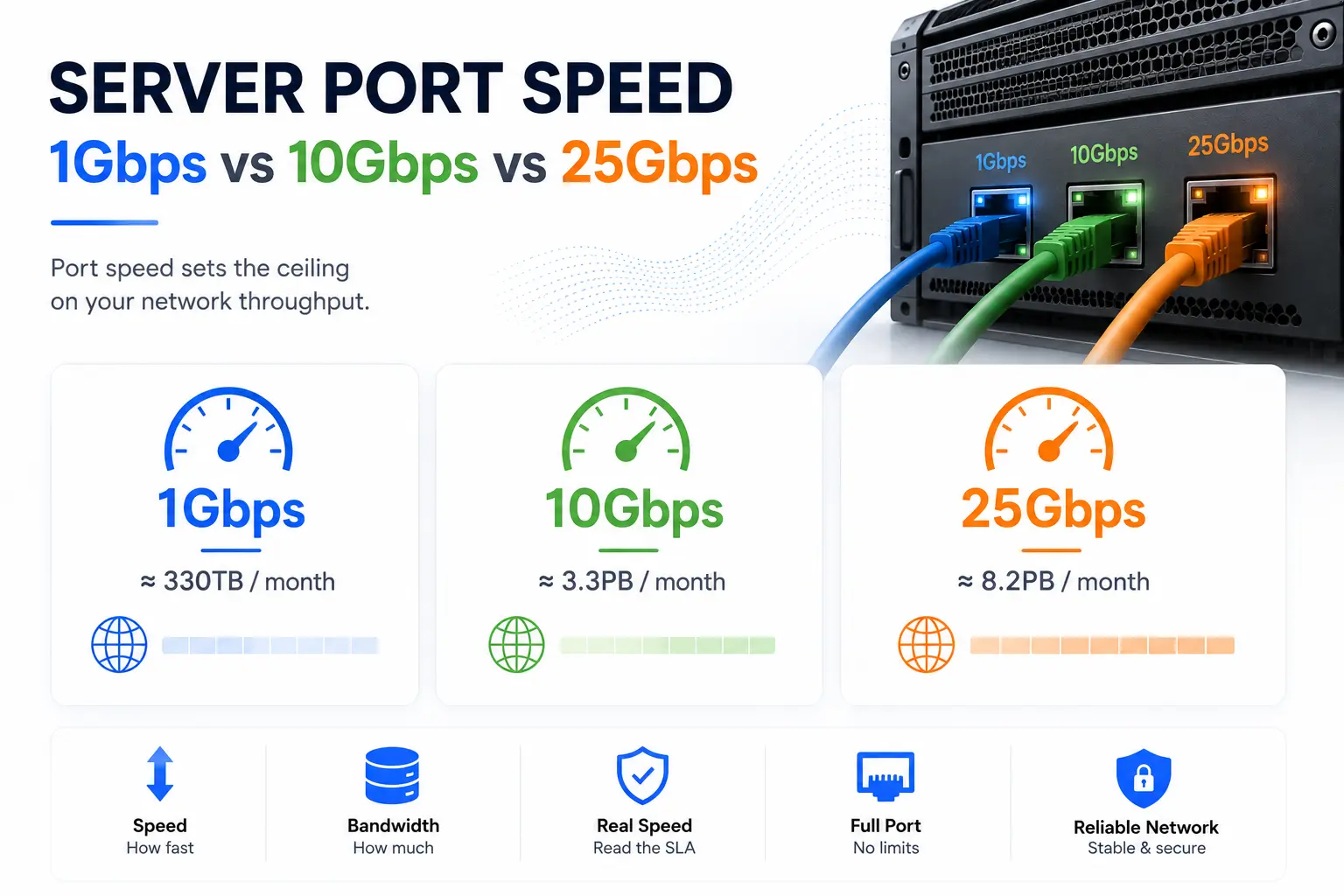
Server Port Speed Sets the Ceiling on Your Network Throughput
Port speed defines the physical limit of your server’s network link. Your server cannot push a single bit past this ceiling, no matter how powerful the CPU or how fast the storage. The port is the pipe. Everything else determines how well you fill it.
Three separate concepts get blurred together on hosting order forms, and the confusion costs buyers real money. You need to separate them before you compare plans.
Port Speed Differs From Monthly Bandwidth
Port speed measures the rate. Bandwidth allowance measures volume. A 1Gbps port describes how fast data moves in any given second. A 30TB monthly allowance describes how much total data you can move before overage fees apply.
The two combine into your real capacity. A 1Gbps port running at full rate around the clock moves roughly 330TB in a month. A 10Gbps port moves about 3.3PB. A 25Gbps port moves about 8.2PB. Unmetered plans remove the volume cap entirely, so your only limit is the port itself. Our guide on Ongemeten bandbreedte explains the pricing model in detail.
Advertised Port Speed Is Not Always Usable Throughput
A 10Gbps port with a 1Gbps committed rate behaves like a 1Gbps port under sustained load. Some providers sell burstable ports: the physical link runs at 10Gbps, but the contract only guarantees 1Gbps of continuous traffic. Hosting forums call this setup “1 on 10G,” and buyers report the mismatch constantly.
Read the SLA before you buy. Look for the committed information rate, not the port label. Atal Networks sells the full port. A 10Gbps plan from us means an unshared 10Gbps uplink with no committed-rate tricks and no overselling.
1Gbps vs 10Gbps vs 25Gbps: The Numbers That Matter
The table below shows the practical difference between the three port tiers. Real throughput runs 3 to 6 percent below the theoretical figure because of TCP and Ethernet protocol overhead.
| Metric | 1 Gbps | 10 Gbps | 25Gbps |
|---|---|---|---|
| Theoretical max | 125 MB/s | 1.25 GB/s | 3.125 GB/s |
| Realistic sustained | 100 to 118 MB/s | 1.0 to 1.18 GB/s | 2.5 to 2.95 GB/s |
| Max monthly transfer | ~330 TB | ~3.3 PB | ~8.2 PB |
| Concurrent 4K streams (15Mbps each) | ~66 | ~660 | ~1,650 |
| Time to move a 200GB backup | ~27 min | ~2.7 min | ~65 sec |
| Typical transceiver | RJ45 / SFP | SFP+ | SFP28 |
| Typical monthly price band | $99 to $200 | $400 to $900 | $900 to $2,500 |
Each tier multiplies capacity, not page speed. A visitor loading a 5MB page notices no difference between a 1Gbps and a 25Gbps port. Ten thousand visitors loading that page at once notice everything. Port speed buys concurrency and transfer velocity, not lower latency for a single user.

1Gbps Ports Handle Most Production Websites
A 1Gbps port covers the large majority of production workloads. Even a busy web server sustains 100 to 300Mbps during peak hours, which leaves plenty of headroom on a full gigabit link. Database queries, API calls, and page loads generate small transactions that never come close to saturating the port.
Workloads that fit comfortably on 1Gbps include:
- Corporate websites and blogs at any realistic traffic level
- E-commerce stores handling moderate order volume
- Internal business applications and APIs
- Game servers, where packets per second matter more than raw bandwidth
- Small VPN nodes serving a few hundred users
Our ATAL1G plan starts at $99 per month with a full 1Gbps port on Dell hardware with Intel Xeon processors and NVMe SSD storage. You can compare all configurations on our Toegewijde servers page. One warning applies at this tier: a 1Gbps port is easier to saturate with a volumetric DDoS attack, so make sure your plan includes mitigation. Every Atal Networks server does.

10Gbps Ports Fit Streaming, Backups, and High-Traffic Platforms
A 10Gbps port becomes the right choice the moment your sustained egress presses against the 1Gbps ceiling. Streaming platforms, CDN origins, backup targets, and large file distribution services live in this tier.
The backup case shows the math clearly. Restoring a 200GB image over 1Gbps takes about 27 minutes. Over 10Gbps, the same restore finishes in under 3 minutes. For a business recovering from an outage, that gap defines your real recovery time objective.
Streaming platforms feel the concurrency gain most. A 1Gbps port tops out near 66 concurrent 4K viewers at 15Mbps per stream. A 10Gbps port pushes that ceiling to roughly 660 viewers. VPN and proxy providers see a similar pattern: average usage stays modest, but demand spikes need instant headroom, and a 10Gbps link absorbs those spikes without degrading every session on the box.
Onze 10 Gbps niet-gemeten dedicated servers pair the full unshared port with enterprise CPUs, NVMe storage, and DDoS protection. The ATAL10G plan runs $690 per month with no overage fees and no burst-rate fine print. Deploy your 10Gbps server today and stop counting terabytes.

25Gbps Ports Serve AI, CDN Origins, and Storage Networks
A 25Gbps port delivers 2.5 times the throughput of 10Gbps over a single SFP28 lane. The tier grew out of hyperscale data centers, where 25GbE replaced 10GbE as the standard server uplink because it runs on the same 25Gbps-per-lane signaling that powers 100GbE switch fabrics. That shared signaling keeps per-port costs lower than legacy 40GbE.
Three workload classes justify the jump to 25Gbps:
AI and machine learning pipelines. Training jobs move terabyte-scale datasets between storage and GPU nodes. A 25Gbps link cuts data staging time by more than half compared to 10Gbps, which keeps expensive compute from sitting idle.
CDN origin servers. An origin feeding dozens of edge nodes during a cache-fill event needs burst capacity far beyond normal traffic. A 25Gbps port lets one origin serve fills that would choke a 10Gbps link.
Storage and replication networks. NVMe over Fabrics, distributed file systems, and cross-site database replication all benefit from the extra lane capacity. Modern NVMe drives read faster than a 10Gbps port can transmit, so the network becomes the bottleneck without the upgrade.
Atal Networks builds custom 25Gbps configurations on request across our Tier-4 facilities. Contact our engineers with your traffic profile and we will spec the build, the transceivers, and the transit path.
Your Hardware Must Keep Pace With Your Port
Line-rate performance requires every component in the data path to match the port. The link itself is rarely the weak point. Check each stage:
- NIC. Common 10G cards include the Intel X710 and NVIDIA Mellanox ConnectX series. For 25G, you need SFP28-capable cards such as the ConnectX-4 Lx or newer. A mismatched NIC caps the whole chain.
- CPU. Packet processing consumes real cycles. Pairing a 10G or 25G port with a low-clock CPU produces a server that pegs one core and never reaches line rate. Our builds use Intel Xeon processors with the core count matched to the port tier.
- Storage. Serving files at 1.25GB/s or faster demands NVMe SSD storage in RAID. A single SATA SSD reads near 550MB/s and becomes the bottleneck on any 10G+ link.
- Switch and transit. An oversubscribed top-of-rack switch or a congested transit provider erases your port advantage. Atal Networks runs a BGP multihomed network through Simply Transit with Tier-1 carriers, so upstream capacity matches the port you pay for.
Skip any one of these checks and you pay for capacity you cannot use.
Pick Your Port Speed With the 95th Percentile Rule
Measure before you buy. Your 95th percentile egress over a full month tells you which port you need. Follow these steps:
- Monitor your current traffic for 30 days with a tool such as iftop, nload, or your provider’s bandwidth graphs.
- Find your 95th percentile value: the rate you stay under 95 percent of the time.
- Apply the thresholds below.
| Your 95th percentile egress | Right port |
|---|---|
| Under 300 Mbps | 1 Gbps |
| 300 to 800 Mbps | 1Gbps now, plan a 10Gbps path |
| 800 Mbps to 7 Gbps | 10 Gbps |
| Above 7 Gbps | 25Gbps or link aggregation |
Avoid the two mistakes we see most often. First, buying 10G for a workload that never passes a few hundred megabits. The port becomes a number on the invoice, not a capability you use. Second, staying on 1G while sustained traffic sits at 80 percent of the ceiling. Saturated ports cause packet loss and latency spikes long before they hit 100 percent, and your users feel it first.
Test Your Real Port Speed in Three Steps
Verify the port after deployment. Follow this process:
- Run iperf3 between two servers. Start a listener with iperf3 -s on the destination, then test with iperf3 -c SERVER_IP -P 4. The -P 4 flag runs four parallel streams. Use 8 or more streams to saturate a 10G or 25G link.
- Download a test file. Pull a 10GB test file from a well-connected mirror with wget or curl. On a true 1Gbps port, a 1GB file completes in 8 to 10 seconds.
- Compare against the contract. Sustained results within 5 percent of the rated port confirm you received the full link. Results stuck at a lower round number point to a committed-rate cap. Ask your provider.
Every Atal Networks server passes this test at line rate because we do not oversell ports. Run it yourself in your first week.
Atal Networks Delivers Full Port Speed on Every Server
Atal Networks operates 213+ data centers across 196 countries, serving 36,000+ businesses and 2,000,000+ websites over 15+ years. Every dedicated server runs on Dell hardware with Intel Xeon processors, NVMe SSD storage, and a BGP multihomed network through Simply Transit.
You get the port you pay for. No burst-rate substitutions, no oversold switches, no hidden fees. Our 99.99% uptime guarantee and 100% network SLA back every plan, and DDoS protection is included at every tier. Pay by crypto, PayPal, credit card, or bank transfer.
Start with a 1Gbps server at $99 per month or deploy a full 10Gbps unmetered port at $690 per month. Deploy your server today and our engineers will have you online in hours, not days.
veelgestelde vragen
Port speed and bandwidth: which is which?
Port speed is the maximum data rate of your network link, measured in Gbps. Bandwidth on most order forms means the monthly transfer allowance, measured in TB. A 1Gbps port with 30TB of bandwidth moves data at up to 125MB/s until you cross the 30TB monthly cap.
Does a 10Gbps port always deliver 10Gbps of throughput?
No. Some providers sell burstable ports with a lower committed rate, so the link only guarantees 1Gbps of sustained traffic. Protocol overhead also trims 3 to 6 percent off the theoretical figure. A quality 10Gbps port sustains 1.0 to 1.18GB/s in real transfers.
Monthly transfer limit of a 1Gbps port explained
A 1Gbps port running at full rate around the clock moves roughly 330TB per month. Real usage rarely holds full rate continuously, so typical monthly transfer on a busy 1Gbps server lands between 50TB and 200TB.
Is a 25Gbps port worth the cost?
A 25Gbps port pays off when sustained egress passes 7Gbps or when large dataset movement blocks other work. AI training pipelines, CDN origins, and storage replication see the clearest gains. Below those levels, a 10Gbps port delivers better value.
Can a CPU bottleneck a 10Gbps port?
Yes. Packet processing consumes CPU cycles, and a weak processor pegs a single core before the link reaches line rate. High-clock Intel Xeon processors with tuned interrupt handling keep a 10Gbps or 25Gbps port running at full speed.
Metered vs unmetered on high-speed ports?
Unmetered plans suit high-speed ports best. A 10Gbps port can burn through a 100TB metered allowance in under 24 hours at full rate, which turns overage fees into a serious risk. Unmetered pricing keeps costs flat regardless of volume.
Testing your server port speed the right way
Run iperf3 with parallel streams (iperf3 -c SERVER_IP -P 4) against a second well-connected server, then confirm with a large file download over wget. Sustained results within 5 percent of the rated port confirm a full, uncapped link.
Does port speed reduce latency?
Not directly. Latency depends on distance, routing, and congestion. A faster port helps latency only indirectly: an unsaturated link avoids the queuing delays and packet loss that appear when traffic presses against the port ceiling.