 콘텐츠로 건너뛰기








What Is Cloud Hosting?
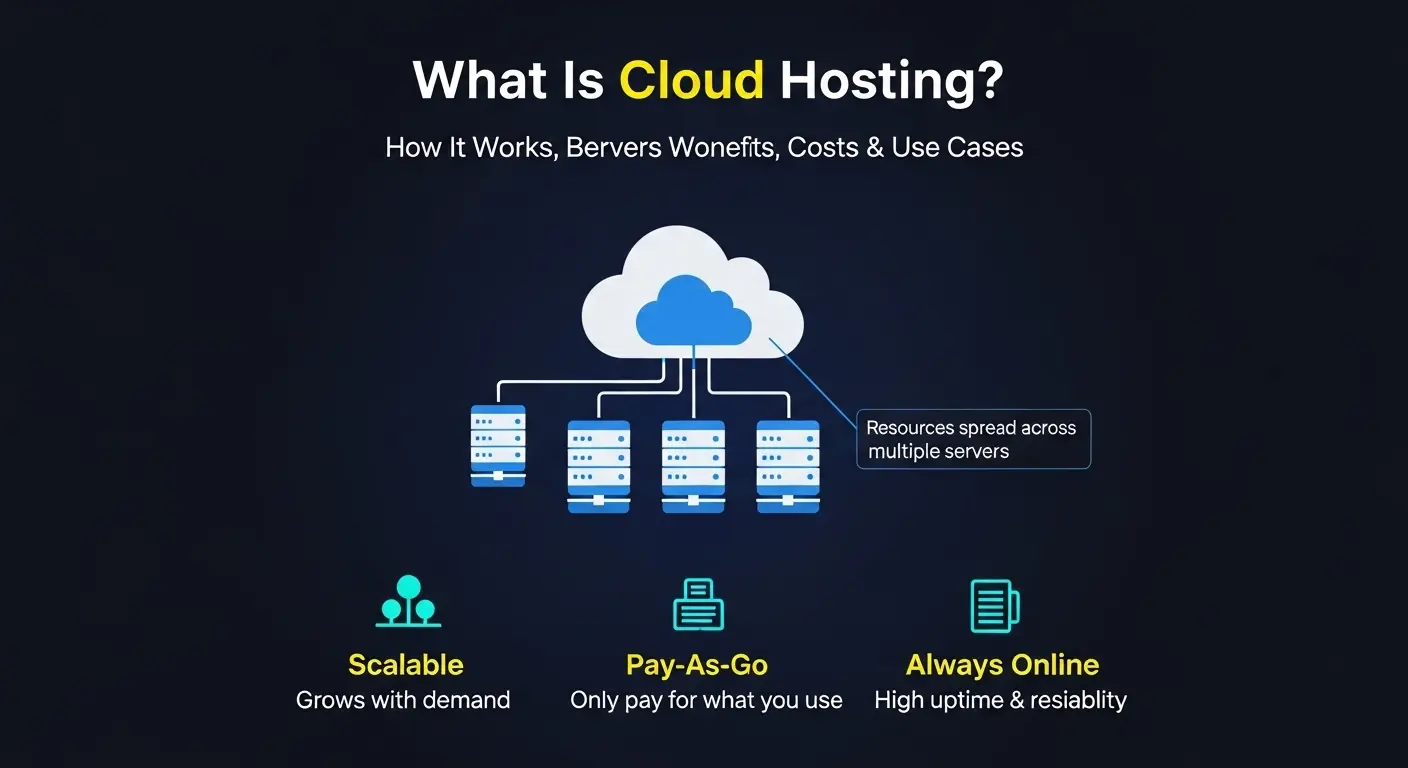
Cloud hosting is a way to run a website or application online without relying on one fixed server. Instead of being limited by a single machine, your site can draw power from cloud infrastructure designed to stay responsive as demand changes.
Cloud hosting uses a network of virtual servers backed by shared infrastructure so your workload is not tied to a single machine. Through resource pooling, capacity can be allocated where it’s needed, so performance scales on demand as traffic rises or falls. A cloud server is one virtual server in that environment, and cloud hosting providers deliver it with a pay-as-you-go model that matches usage.
Compared to traditional single-server hosting or a VPS, cloud hosting reduces single-point-of-failure risk and makes it easier to add resources quickly when your workload grows.
Cloud Hosting in One Minute
- Runs on a network of virtual servers: Cloud hosting doesn’t rely on one machine; your site or app uses multiple virtual servers working together.
- Resource pooling: Compute power, storage, and network capacity are drawn from a shared pool instead of fixed hardware.
- Scales up or down fast: Cloud web hosting can handle traffic spikes automatically by allocating more resources when needed.
- High reliability by design: Redundancy and failover keep services online even if one cloud server has an issue.
- Pay-as-you-go pricing: Cloud server hosting usually charges based on usage rather than rigid, long-term plans.
- Shared security responsibility: Cloud hosting providers secure the infrastructure, while you secure your OS, apps, and access.
- Built for websites and applications: A cloud based server works well for business sites, APIs, SaaS platforms, and growing apps.
How Cloud Hosting Works (Step-by-Step)
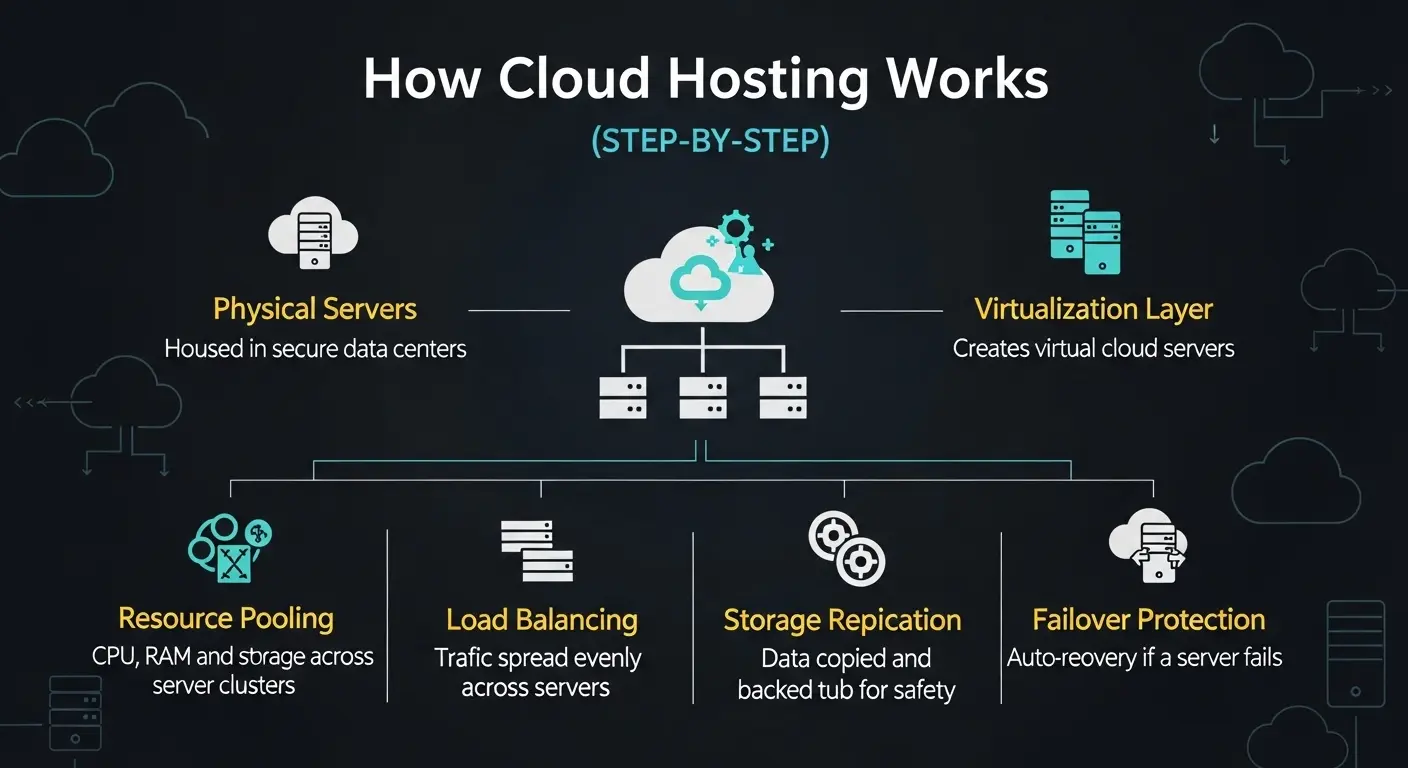
Cloud hosting services are designed to keep websites and applications online, fast, and flexible—even when demand changes. Instead of relying on one machine, everything runs across shared infrastructure hosted in the cloud.
- Physical servers in data centers
Cloud server hosting starts with large numbers of physical servers installed in secure, professionally managed data centers around the world.
- Virtualization creates virtual servers
A virtualization layer splits physical hardware into multiple virtual machines, often called virtual servers. Each one behaves like its own cloud server.
- Resource pooling across a cluster
Instead of being tied to one box, compute, memory, and storage are pooled across a cluster of servers. Your workload can draw resources as needed.
- Load balancing spreads traffic
Incoming traffic is distributed across virtual servers so no single instance becomes a bottleneck during peak usage.
- Storage replication and snapshots
Data is copied across multiple systems. Snapshots make it easier to recover files or roll back after errors.
- Failover keeps services running
If one host fails, workloads automatically restart on another server in the cluster, minimizing downtime.
Cloud hosting = your site runs on virtual servers backed by many physical machines, so it isn’t stuck on a single server.
Key Concepts Explained
- Virtual servers / virtual machines (VMs)
Software-based servers that run applications just like physical machines, but with more flexibility. - Cluster / computing cluster
A group of servers working together to deliver cloud hosting solutions instead of relying on one system. - Load balancing
Technology that distributes traffic evenly to maintain performance and prevent overload. - Redundancy and high availability
Multiple copies of systems and data ensure services stay online even if hardware fails. - Autoscaling
Cloud hosting options that automatically add or remove resources based on real-time demand. - Regions and data center locations
Choosing locations closer to users helps achieve minimum latency and better user experience.
Cloud Server vs Cloud Hosting (Clear Difference)
A cloud server is a single virtual server instance where you install software, host a website, or run an application. It’s one piece of infrastructure you directly manage.
Cloud hosting, on the other hand, is the complete environment that keeps applications online. It includes virtual servers, networking, storage, scaling, and redundancy working together as a cloud hosted solution.
In short: a cloud server is one component, while cloud hosting is the full system delivered by cloud server providers to ensure performance, availability, and scalability.
Types of Cloud Hosting
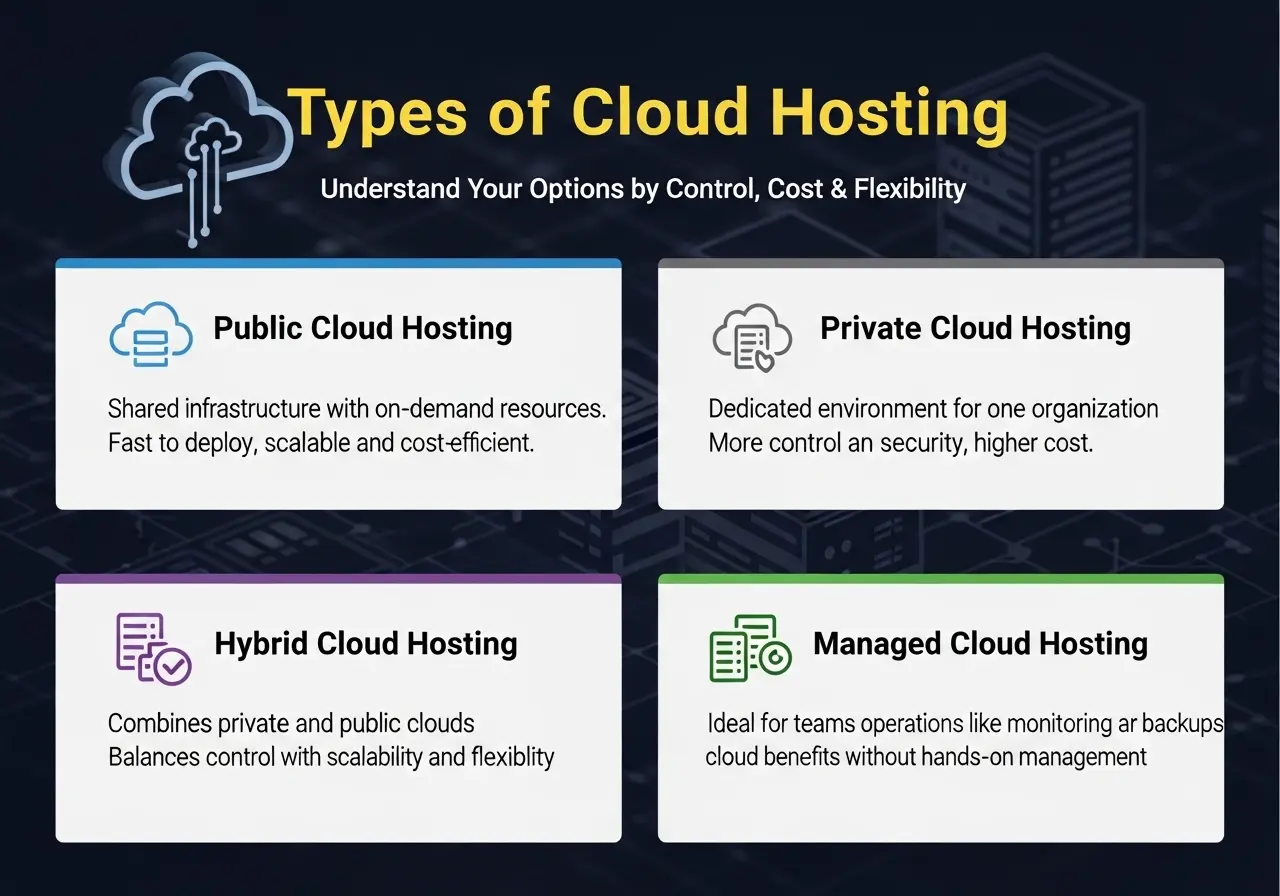
Cloud hosting comes in several models, each designed for different levels of control, flexibility, and operational responsibility. Understanding these options helps buyers choose the right setup without overengineering their infrastructure.
Public Cloud Hosting
Public cloud hosting runs on shared infrastructure operated by cloud hosting providers. Resources like compute, storage, and networking are delivered on demand through cloud hosting services, making it fast to deploy and easy to scale.
This model is a strong fit for most websites, applications, and startups because it offers broad services, global reach, and lower upfront cost. You trade some underlying hardware control for speed, flexibility, and access to mature cloud server providers.
Private Cloud Hosting
Private cloud hosting provides a dedicated cloud environment for a single organization. The infrastructure may be hosted on-premises or delivered as a hosted cloud by a third party, but resources are not shared with other customers.
This model is often chosen by organizations with strict internal policies, custom networking needs, or tighter control requirements. It offers more governance and customization than public cloud, but usually comes with higher cost and operational overhead.
Hybrid Cloud Hosting
Hybrid cloud hosting combines private and public cloud resources into one architecture. Sensitive or steady workloads can stay in a private environment, while variable demand can burst into public cloud capacity when needed.
This approach gives businesses flexibility and control while still benefiting from scalability. The main tradeoff is added complexity in design, integration, and management compared to a single-cloud model.
Managed Cloud Hosting
Managed cloud hosting shifts day-to-day operations to the provider. Tasks like patching, monitoring, backups, and incident response are handled as part of the cloud hosting service.
This option is buyer-friendly for teams without deep infrastructure expertise or for businesses that want to focus on applications instead of operations. The tradeoff is a higher monthly cost in exchange for reduced operational burden and support-backed reliability.
Cloud Hosting Models at a Glance
| Model | Best for | Tradeoff |
| Public | Speed and cost efficiency | Less underlying control |
| Private | Control and policy constraints | Higher cost and operations |
| Hybrid | Flexibility across workloads | Added complexity |
| Managed | Lower ops burden | Higher monthly cost |
This breakdown helps align cloud hosting choices with real business needs—whether the priority is speed, control, flexibility, or simplicity.
Cloud Hosting vs Traditional Web Hosting vs VPS
This section closes a major competitor gap by comparing how each hosting model behaves under real workloads, not just how it’s marketed. Use it to decide based on traffic patterns, growth speed, and operational risk—not buzzwords.
Comparison overview
| 인자 | Traditional single-server hosting | VPS 호스팅 | Cloud hosting |
| Performance under traffic spikes | Low – one server can bottleneck or crash | Medium – isolated resources but capped | High – draws from pooled resources |
| Scaling speed | Slow – plan change or migration needed | Medium – resize with downtime or limits | Fast – scales up/down on demand |
| Reliability / failover | Low – single point of failure | Medium – isolated VM, host failure still impacts | High – built-in redundancy and failover |
| Cost model | Fixed monthly | Fixed monthly | Usage-based (pay for what you use) |
| Management effort | Low (provider-managed basics) | Medium (server admin required) | Low–Medium (depends on managed level) |
| Control / customization | 낮은 | High (root access) | High (but abstracted from hardware) |
| Best-fit use cases | Small sites, blogs | Growing sites, apps, stable workloads | High-traffic, variable-demand apps |
| Typical risk | Downtime under load | Resource caps, host dependency | Cost creep if usage isn’t monitored |
Plain verdicts
- Pick traditional hosting when you run a small website with predictable traffic and want the lowest cost with minimal setup.
- Pick VPS when you need more control and dedicated resources than shared hosting, but traffic growth is steady and predictable.
- Pick cloud hosting when traffic spikes, growth is uncertain, or uptime matters—cloud hosting vs VPS and cloud hosting vs web hosting both favor cloud when flexibility and resilience are critical.
This comparison clarifies why a vps cloud server may bridge gaps for some teams—but true cloud hosting wins when scale, reliability, and speed matter most.
Benefits of Cloud Hosting (Business Outcomes)
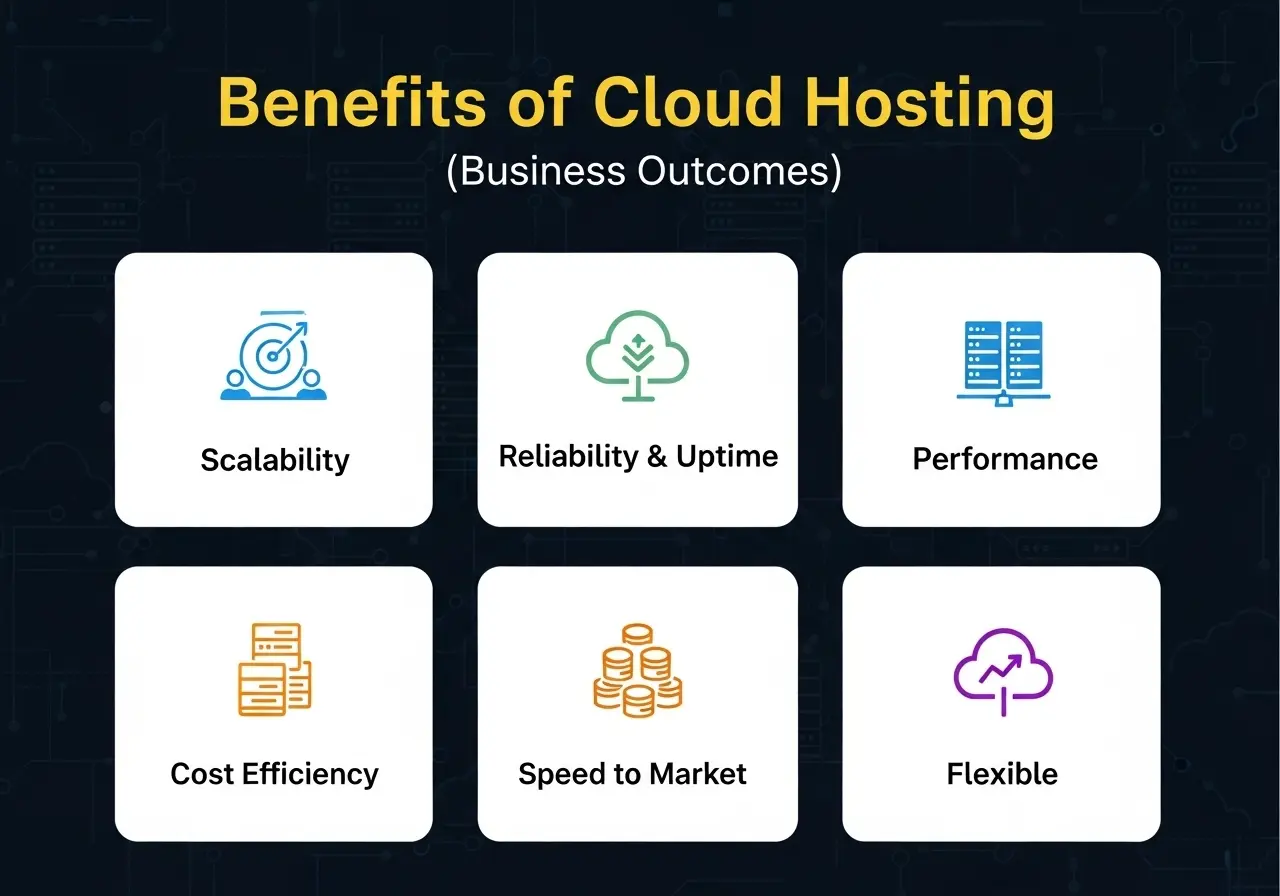
Cloud hosting is designed to solve real operational problems, not just modernize infrastructure. Each benefit below connects directly to a business outcome teams care about—growth, stability, speed, and cost control.
Scalability → handle spikes without migrations
Cloud hosting offers superior scalability by design. Resources scale up or down on demand, allowing you to handle traffic spikes and growth without upgrading plans, moving servers, or rebuilding infrastructure.
Reliability & uptime → fewer single points of failure
Because workloads run across multiple systems, redundancy is built in. If one component fails, others take over, improving reliability and keeping websites and applications available during outages.
Performance → faster user experience at scale
Load balancing distributes traffic efficiently, while regional deployment places workloads closer to users. This combination delivers optimal performance and lower latency, even during peak usage.
Cost efficiency → pay only for what you use
Cloud hosting advantages include a usage-based model that avoids overprovisioning. You pay for consumed resources instead of idle capacity—when paired with monitoring, this supports strong cost control.
Speed & time to market → launch faster
New environments can be deployed in minutes instead of weeks. Teams ship features, test ideas, and respond to demand without waiting on hardware procurement.
Operational flexibility → add services as needed
Databases, backups, CDNs, and security layers can be added or removed without re-architecting systems, giving businesses long-term flexibility as needs evolve.
Real-world scenarios
E-commerce sale traffic spike
During flash sales or seasonal promotions, cloud hosting absorbs sudden demand without downtime, keeping checkout fast and protecting revenue.
SaaS feature launch or onboarding wave
When a new feature drives a surge in sign-ups, cloud resources scale instantly to maintain application responsiveness and user experience.
Media upload and streaming surge
Large uploads or live streaming events benefit from elastic bandwidth and distributed delivery, ensuring smooth playback under heavy load.
Common Cloud Hosting Use Cases
Cloud hosting supports a wide range of workloads because a cloud based server can scale, recover, and adapt faster than single-server setups. Below are the most common use cases, organized by audience.
Cloud Web Hosting for Businesses
Businesses use cloud web hosting for marketing sites, WordPress installations, and CMS-driven platforms that need reliability and room to grow. It’s a strong fit for multi-site deployments where traffic fluctuates, making it popular for teams looking for the best cloud hosting for WordPress without performance bottlenecks.
SaaS Companies and Tech Startups
SaaS teams rely on cloud hosting solutions to run APIs, web applications, and staging environments. A cloud hosting server allows fast iteration, easy rollbacks, and scaling as user adoption grows, making a cloud hosted solution ideal for product-led growth.
Enterprises and Large Corporations
Large organizations use cloud hosting services to support hybrid architectures, governance requirements, and multi-region deployments. Cloud service hosting enables resilience across regions while integrating with existing on-prem or private systems.
DevOps Teams and System Administrators
DevOps teams use hosting in cloud environments for CI/CD pipelines, automated testing, and infrastructure-as-code workflows. Cloud computing hosting supports rapid provisioning, automation, and repeatable environments without long-term hardware commitments.
Streaming and Media Platforms
Streaming and media platforms depend on cloud server hosting to manage large files, high bandwidth usage, and global audiences. Distributed cloud hosting servers help deliver content reliably while handling sudden spikes in uploads or streaming demand.
Cloud Hosting Risks (And How to Manage Them)
Cloud hosting offers flexibility and scale, but it’s important to understand the tradeoffs so expectations stay realistic. These risks are manageable with the right practices in place.
Cost variability (“bill surprises”)
Cloud hosting price and cloud server cost can fluctuate because usage changes over time. Sudden traffic spikes or mis-sized resources may increase cloud server pricing unexpectedly.
How to manage it: Set budgets and usage alerts, review monthly spend, and right-size resources regularly so you only pay for what you actually need.
Operational complexity
Cloud platforms introduce more moving parts than traditional hosting, which can increase setup and operational complexity.
How to manage it: Use managed services where appropriate, document runbooks, and standardize deployments to reduce day-to-day overhead.
Vendor lock-in (light risk)
Some cloud features are provider-specific, which can make switching platforms harder later.
How to manage it: Plan for portability by using open standards, containers, and documented architectures that can move if needed.
Misconfiguration risk
Because cloud environments are powerful and flexible, mistakes in access controls or networking can create exposure.
How to manage it: Apply least-privilege access, review configurations regularly, and audit security settings as part of routine operations.
Handled correctly, these cloud risks don’t outweigh the benefits—they simply require active management to keep costs predictable, systems secure, and operations under control.
Cloud Security (Shared Responsibility)
Cloud hosting security follows a shared responsibility model: the provider secures the cloud, and you secure what you run in it. Cloud hosting providers protect the physical data centers, underlying hardware, and core infrastructure. You are responsible for securing operating systems, applications, data, and access inside your cloud environment. This model enables enhanced security—but only when both sides do their part.
Practical cloud security checklist
Use this checklist as a baseline for running a secure cloud hosting service:
- IAM and least privilege
Grant users and services only the permissions they need. Avoid broad admin access unless absolutely required.
- Multi-factor authentication (MFA)
Enable MFA for all cloud consoles and management accounts to reduce account takeover risk.
- Network firewall rules / security groups
Restrict inbound and outbound traffic to required ports and IPs only. Close anything not actively used.
- Encryption in transit and at rest
Use TLS for data in transit and enable encryption for storage and backups wherever supported.
- Backups and restore testing
Automated backups are essential, but regularly test restores to confirm recovery actually works.
- Monitoring and alerts
Track login activity, resource usage, and configuration changes. Alerts help detect issues early.
- Patching responsibility clarity
Know who applies updates. In managed cloud hosting, the provider may patch the OS. In self-managed setups, patching is your responsibility.
When these controls are applied consistently, cloud hosting security provides strong, practical protection without relying on unrealistic guarantees—making cloud environments both flexible and trustworthy for real-world workloads.
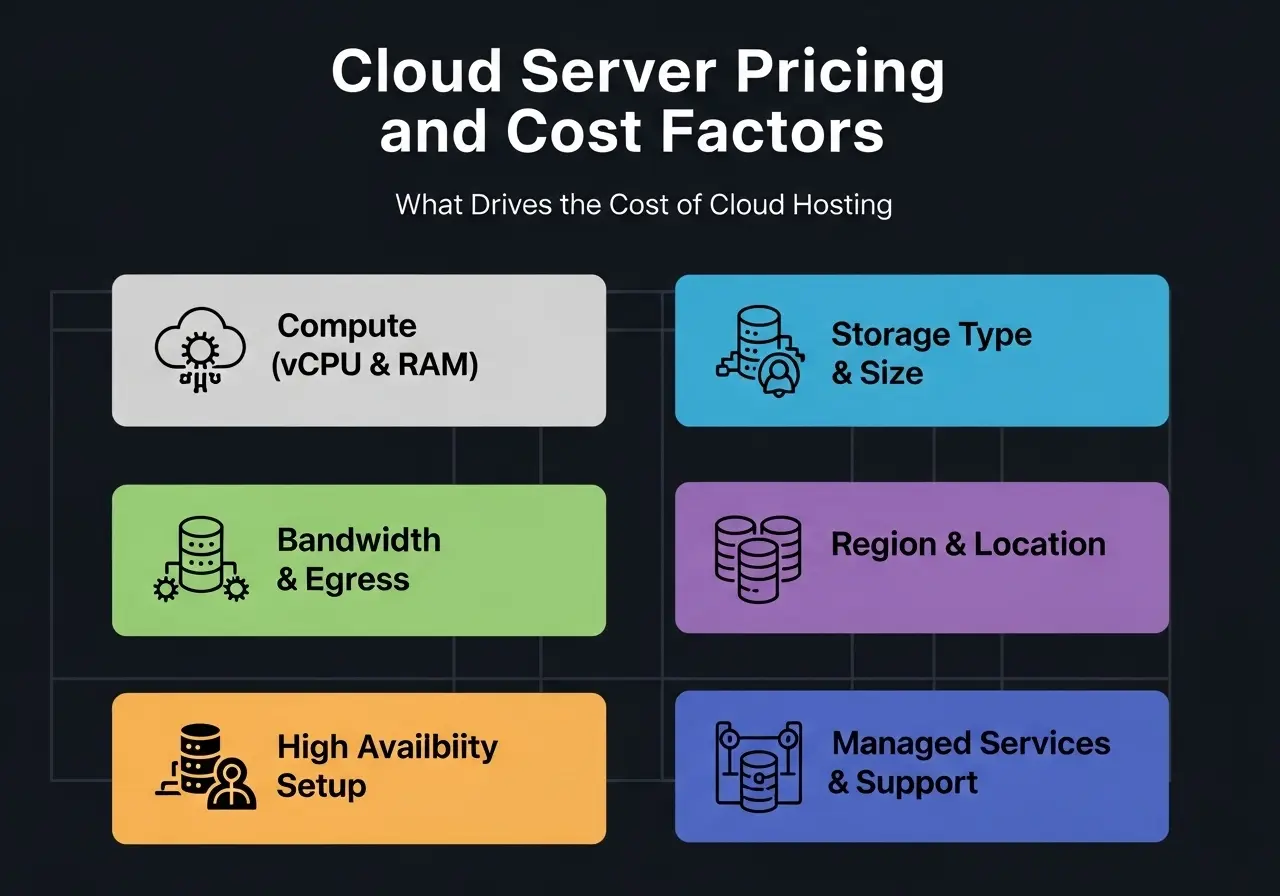
Cloud Server Pricing and Cost Factors
Cloud server pricing is predictable once you understand what actually drives the bill. Unlike fixed hosting plans, cloud hosting price is built from individual components. Below are the core cost drivers—listed in the order they usually impact spending the most.
- Compute (vCPU and RAM)
Computing is the foundation of cloud server cost. More vCPUs and RAM increase performance but raise monthly or hourly pricing. Right-sizing matters more than overprovisioning. - Storage type and size (SSD / NVMe)
Faster storage costs more. NVMe delivers higher performance than SSD, while larger volumes increase the overall cloud based server cost. - Bandwidth and egress (data transfer out)
Inbound traffic is often free, but data leaving the cloud is not. High outbound traffic can quickly raise cloud server pricing if not planned for. - Region and location
Some regions cost more due to demand, energy prices, or compliance requirements. Location also affects latency and availability. - High availability and redundancy setup
Running multiple instances, replicas, or failover systems improves uptime—but increases cost because you’re paying for more resources. - Managed services
Managed databases, backups, WAFs, and CDN services reduce operational work but add to monthly cloud hosting price. - Support plans
Higher-tier support with faster response times and architectural guidance increases cost but reduces operational risk.
Cheap Cloud Hosting vs Best Cloud Hosting
Cheap cloud hosting focuses on low entry pricing, while the best cloud hosting prioritizes performance, reliability, and operational support. The difference is in tradeoffs—not marketing.
Common tradeoffs with cheap cloud server plans
- Lower vCPU and RAM limits
- Fewer available regions
- Minimal or slow support
- Limited managed features (backups, security tools)
- Bandwidth costs that spike with growth
Cheap is fine when:
- You’re running dev/test environments
- Traffic is low and predictable
- Bandwidth usage is controlled
- You can manage incidents yourself
For production workloads, customer-facing apps, or growth-stage platforms, choosing a top cloud server with stronger performance, predictable scaling, and reliable support often delivers better long-term value than chasing the lowest upfront price from a cheap cloud server provider.
How to Choose the Best Cloud Hosting Provider
Choosing the right cloud hosting provider is about matching your workload, traffic behavior, and team capabilities to the right infrastructure and service level. Use the steps below as a practical buyer checklist.
Step 1: Define your workload
Start with what you’re hosting: WordPress or CMS sites, a web application, e-commerce store, media delivery, or internal tools. Each workload stresses compute, storage, and network differently.
Step 2: Estimate traffic patterns
Decide whether traffic is mostly steady or highly spiky. Cloud hosting is especially valuable when demand fluctuates and sudden scale is required.
Step 3: Choose deployment needs
Single-region setups work for local audiences. Multi-region deployments improve latency, resilience, and global availability but add complexity and cost.
Step 4: Decide the ops model
Choose between self-managed infrastructure or managed cloud hosting. Managed options reduce operational work but cost more.
Step 5: Validate performance basics
Check baseline CPU, RAM, and storage options. Ensure the provider supports upgrades without forced migrations.
Step 6: Review network and bandwidth pricing
Pay close attention to data transfer and egress costs, which often drive cloud server hosting bills.
Step 7: Review reliability signals
Look for SLAs, backup options, disaster recovery tooling, and documented uptime history.
Step 8: Review security posture
Confirm IAM controls, logging, encryption options, and how responsibilities are shared between you and the provider.
Step 9: Confirm support quality
Check response times, escalation paths, and whether support is included or paid separately.
This approach makes it easier to compare cloud hosting providers, cloud server hosting providers, and cloud server service providers objectively—and identify the best cloud hosting for your needs.
자주 묻는 질문(FAQ)
What is cloud hosting?
Cloud hosting is a hosting model where websites and applications run on a network of virtual servers instead of a single machine, allowing resources to scale on demand.
What is a cloud server?
A cloud server is an individual virtual machine that runs your applications, backed by pooled infrastructure across multiple physical servers.
Cloud hosting vs VPS: what’s the difference?
VPS hosting usually runs on one physical host with fixed resources, while cloud hosting pulls resources from a larger pool, offering better scalability and resilience.
Cloud hosting vs traditional web hosting: which is better?
Cloud hosting is better for growing or spiky workloads, while traditional single-server hosting suits small, steady websites with predictable traffic.
How does cloud hosting work?
Cloud hosting uses virtualization to run virtual servers across a cluster of physical machines, with load balancing, replication, and failover handling reliability.
Is cloud hosting secure?
Cloud hosting is secure when configured correctly. Providers secure the infrastructure, while customers secure operating systems, applications, and access.
How much does a cloud server cost per month?
Cloud server cost depends on compute size, storage, bandwidth, region, and managed services, ranging from low-cost entry setups to enterprise-grade deployments.
What is cloud VPS hosting?
Cloud VPS hosting combines VPS-style isolation with cloud infrastructure, giving a virtual private server that benefits from cloud scalability.
What is the best cloud hosting for WordPress?
The best cloud hosting for WordPress offers fast storage, easy scaling, strong caching, and predictable bandwidth for traffic spikes.
What should I look for in cloud hosting providers?
Focus on performance options, transparent pricing, reliability features, security controls, support quality, and available data center locations.