 Μετάβαση στο περιεχόμενο








The Shift to Cloud Computing
Moving from physical servers to cloud computing changes our business operations. The global cloud market reached US$752.44 billion in 2024. Experts project a 20.4 percent annual growth rate through 2030. Public cloud spending will surpass 45 percent of enterprise IT budgets by 2026.
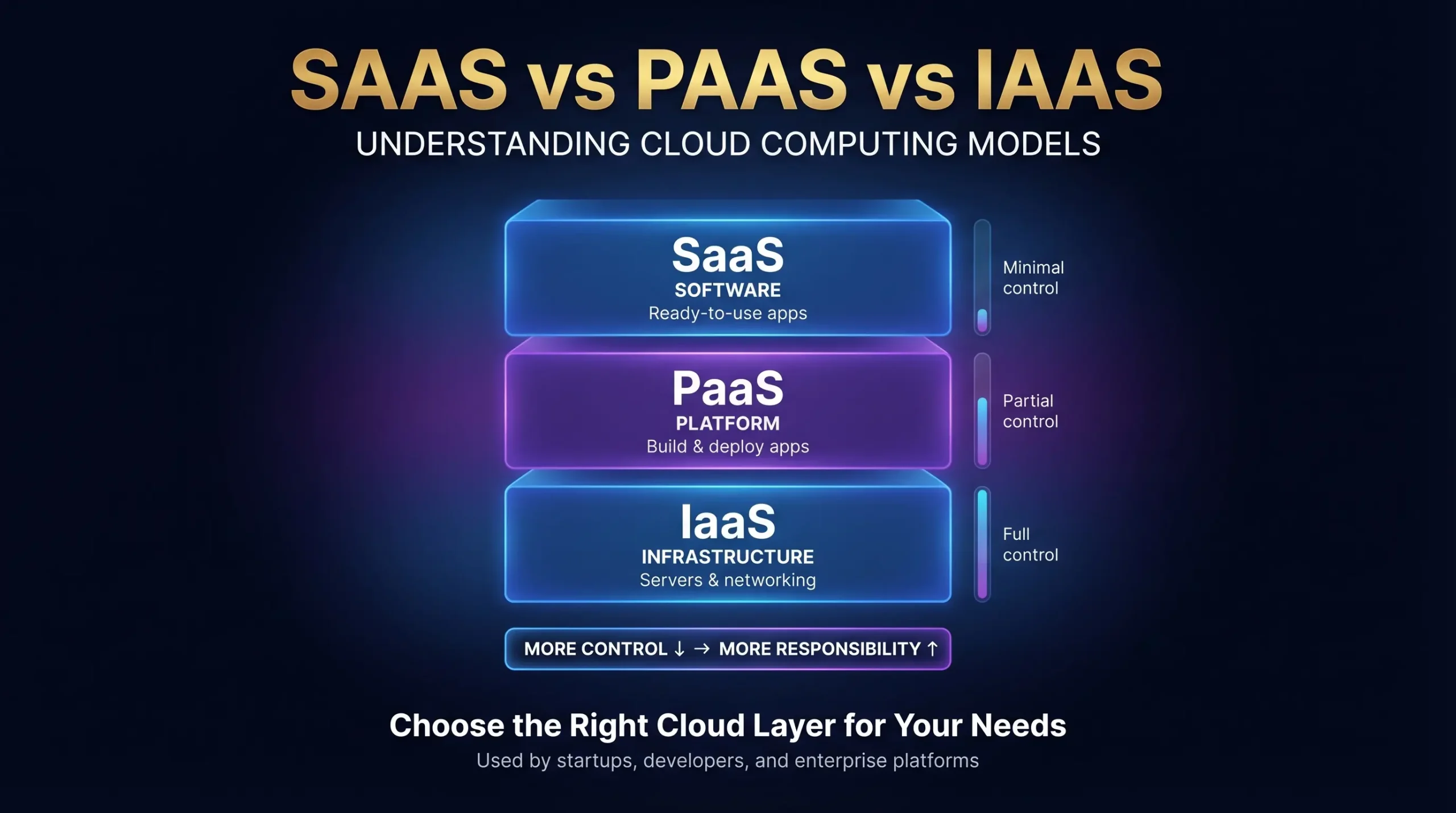
To use this technology, we need to understand the three main service models. These models are Infrastructure-as-a-Service (IaaS), Platform-as-a-Service (PaaS), and Software-as-a-Service (SaaS). Each model offers a different level of control and management.
The Shared Responsibility Model
The Shared Responsibility Model explains the differences best. In an on-premise setup, we manage the entire technology stack. In the cloud, control shifts from us to the provider as we move from IaaS to SaaS.
- On-Premise: We manage networking, storage, servers, virtualization, OS, middleware, runtime, data, and applications.
- IaaS: The provider manages the physical infrastructure. We manage the OS, middleware, runtime, data, and applications.
- PaaS: The provider manages the infrastructure, OS, middleware, and runtime. We manage the data and applications.
- SaaS: The vendor manages the entire stack. We only consume the software.
Infrastructure-as-a-Service (IaaS)
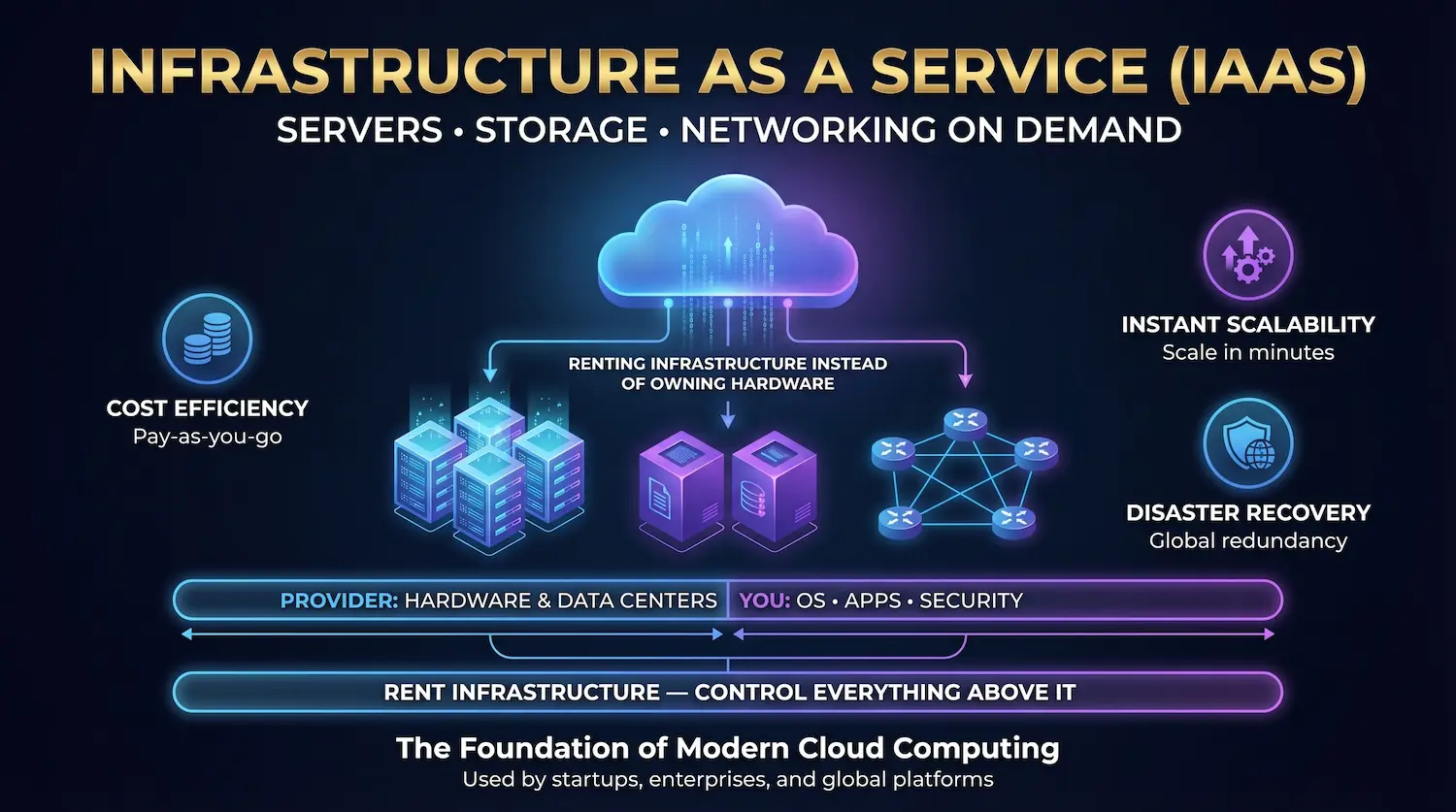
Infrastructure-as-a-Service (IaaS) delivers foundational cloud computing resources over the internet. We rent virtual servers, network connections, and data storage through a pay-as-you-go model. This setup replaces traditional physical data centers entirely.
Core Advantages
- Cost Reduction: We eliminate physical hardware purchases and shift spending to operational costs. We pay strictly for the resources we consume.
- Instant Scalability: We add or remove computing power in minutes to match our exact website traffic and workload demands.
- Disaster Recovery: Distributed global data centers protect our assets. This geographic redundancy keeps our systems online during localized outages.
Strategic Challenges
- Security Management: The shared responsibility model requires strict oversight. The provider protects the physical building and hardware. We must secure our operating systems, applications, and network firewalls.
- Migration Complexity: Moving older, legacy systems to a modern cloud environment takes detailed planning and specialized engineering skills.
Leading Providers
Market leaders offer reliable public cloud infrastructure for business operations. Common examples include Amazon Web Services (AWS) EC2, Microsoft Azure Virtual Machines, and Google Compute Engine.
Platform-as-a-Service (PaaS)
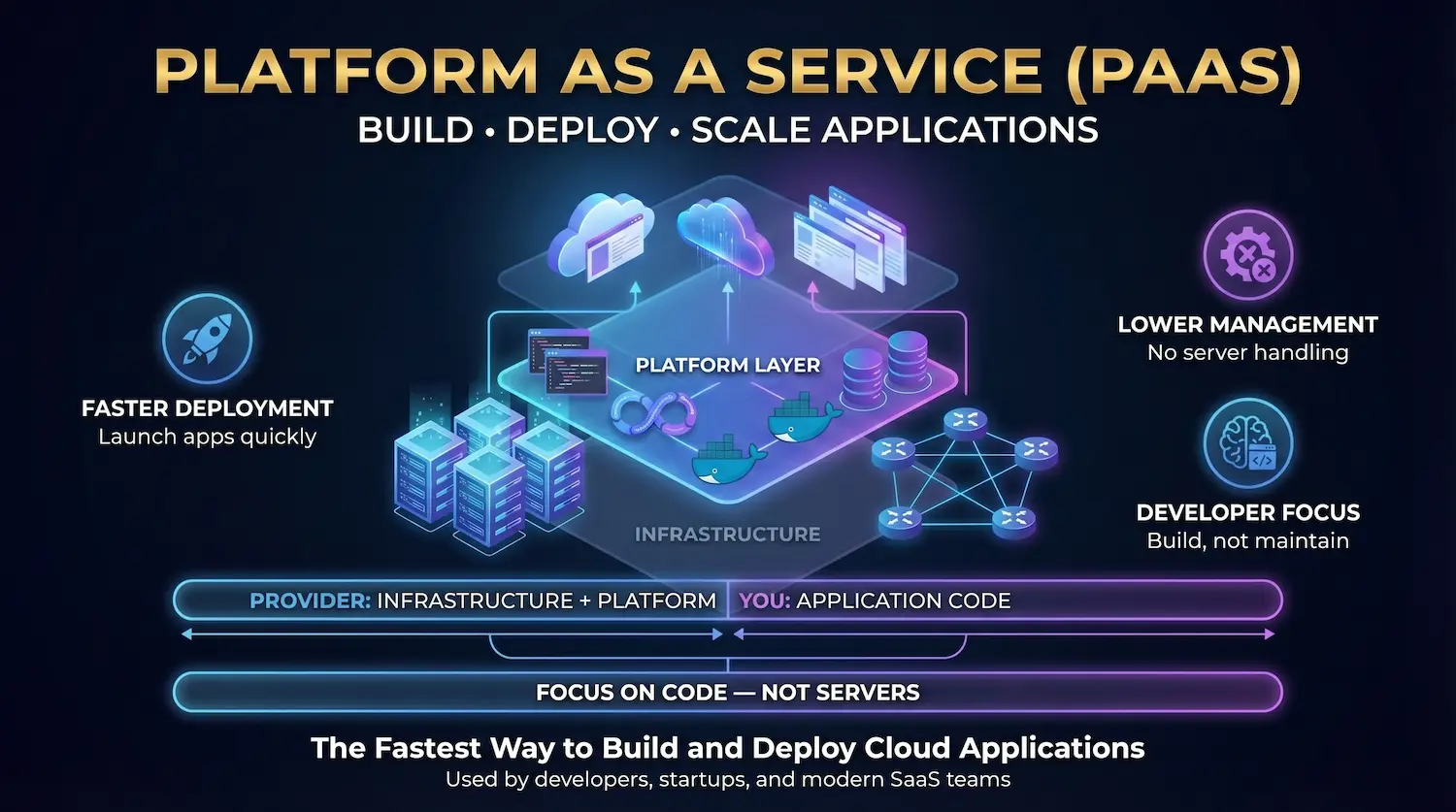
Platform-as-a-Service (PaaS) supplies a complete, managed cloud environment for software development. We use PaaS to build, test, and deploy applications without managing servers or operating systems. The cloud provider handles all underlying hardware and middleware.
Core Advantages
- Faster Deployment: Built-in development tools help us launch applications sooner.
- Lower Management Costs: We cut IT expenses because the vendor maintains the server infrastructure.
- Focused Engineering: Developers write less boilerplate code and spend more time creating core product features.
Strategic Challenges
- Data Security Risks: Placing sensitive source code on external servers requires strict compliance checks.
- Vendor Lock-In: Moving custom application code from one PaaS provider to another causes severe delays.
- Integration Limits: Connecting a new PaaS application to older internal systems takes extra engineering effort.
Leading Providers
Top industry platforms include Google App Engine, Amazon Web Services (AWS) Elastic Beanstalk, and Heroku.

Software-as-a-Service (SaaS)
Software-as-a-Service (SaaS) delivers complete cloud applications directly to users through a web browser. The cloud provider hosts the servers, manages the databases, and maintains the entire software stack. We simply log in and use the program.
Core Advantages
- Zero Maintenance: Vendors handle all technical updates, security patches, and system repairs automatically.
- Predictable Costs: We plan our budgets accurately using flat monthly or annual per-user subscription models.
- Global Access: Our teams open and run the software from any device with an active internet connection.
Strategic Challenges
- Strict Limits: We cannot rewrite the core code or heavily customize the main application features.
- Data Migration: Moving our company records to a different software vendor takes considerable time and effort.
- Integration Barriers: Connecting multiple separate cloud programs requires extra third-party software tools.
Leading Providers
Top enterprise examples include Salesforce for customer tracking, Microsoft 365 and Google Workspace for daily operations, and Slack for team communication.
Specialized Cloud Service Models
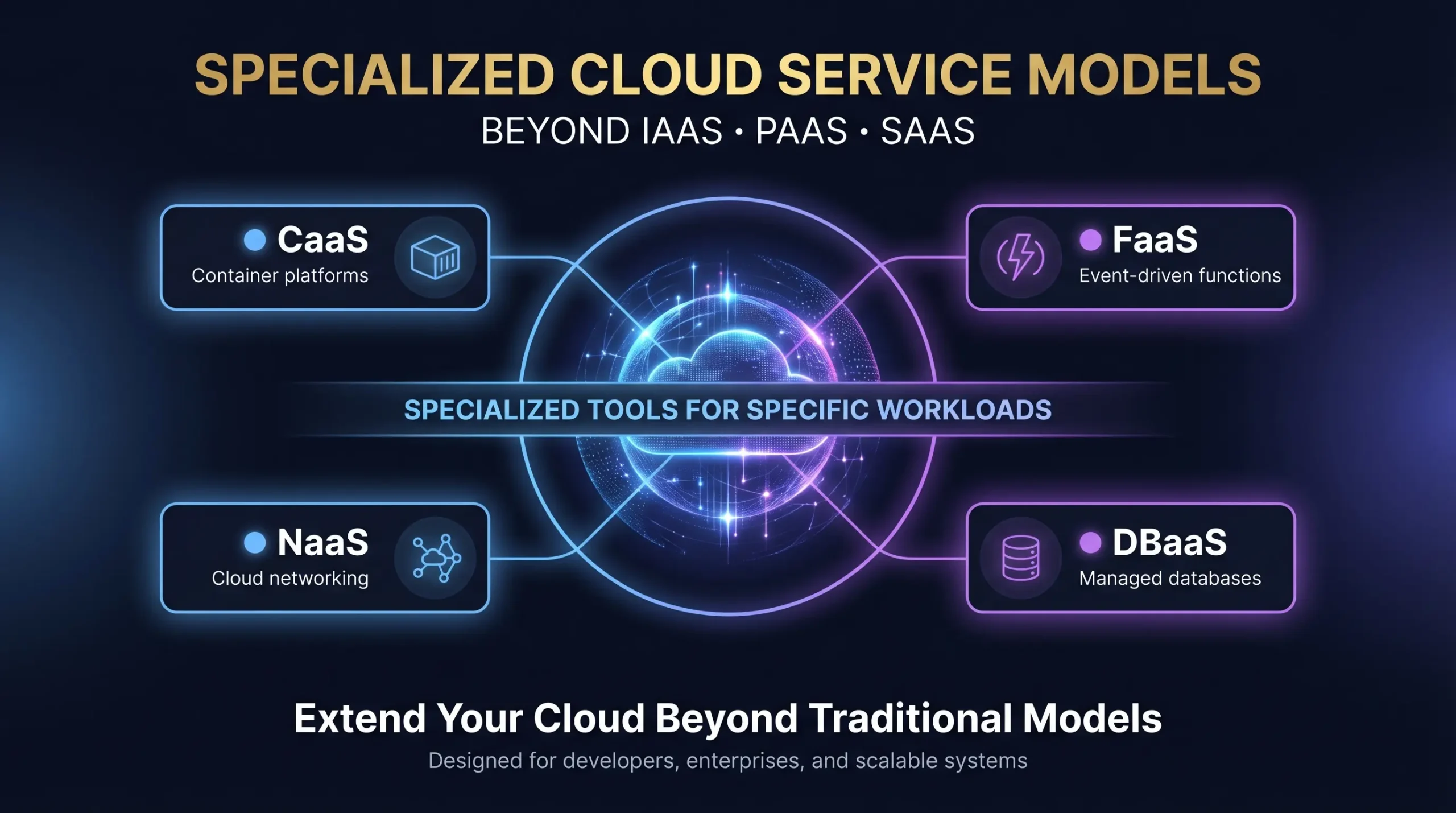
Beyond the main three frameworks, the cloud computing industry provides specialized service models. We select these targeted setups to meet exact technical requirements.
- CaaS (Containers-as-a-Service): This model operates between IaaS and PaaS. We deploy, manage, and scale containerized applications using this structure.
- FaaS (Function-as-a-Service): Developers write modular code segments that trigger only after specific events. We pay strictly for the exact compute time our functions consume.
- NaaS (Network-as-a-Service): Providers deliver complete, cloud-based enterprise networking infrastructure directly to our devices.
- DBaaS (Database-as-a-Service): We use these fully managed, highly scalable cloud database environments to store company records securely.
Cloud Service Comparison Matrix
| Χαρακτηριστικό | IaaS | PaaS | SaaS |
| Target User | IT Administrators | Software Developers | Business End Users |
| System Control | High Control | Medium Control | Low Control |
| Pricing Structure | Pay Per Use | Pay Per Use or Tiered | Flat Subscription |
| Primary Value | Hardware Cost Reduction | Faster Code Deployment | Ready-to-Use Software |
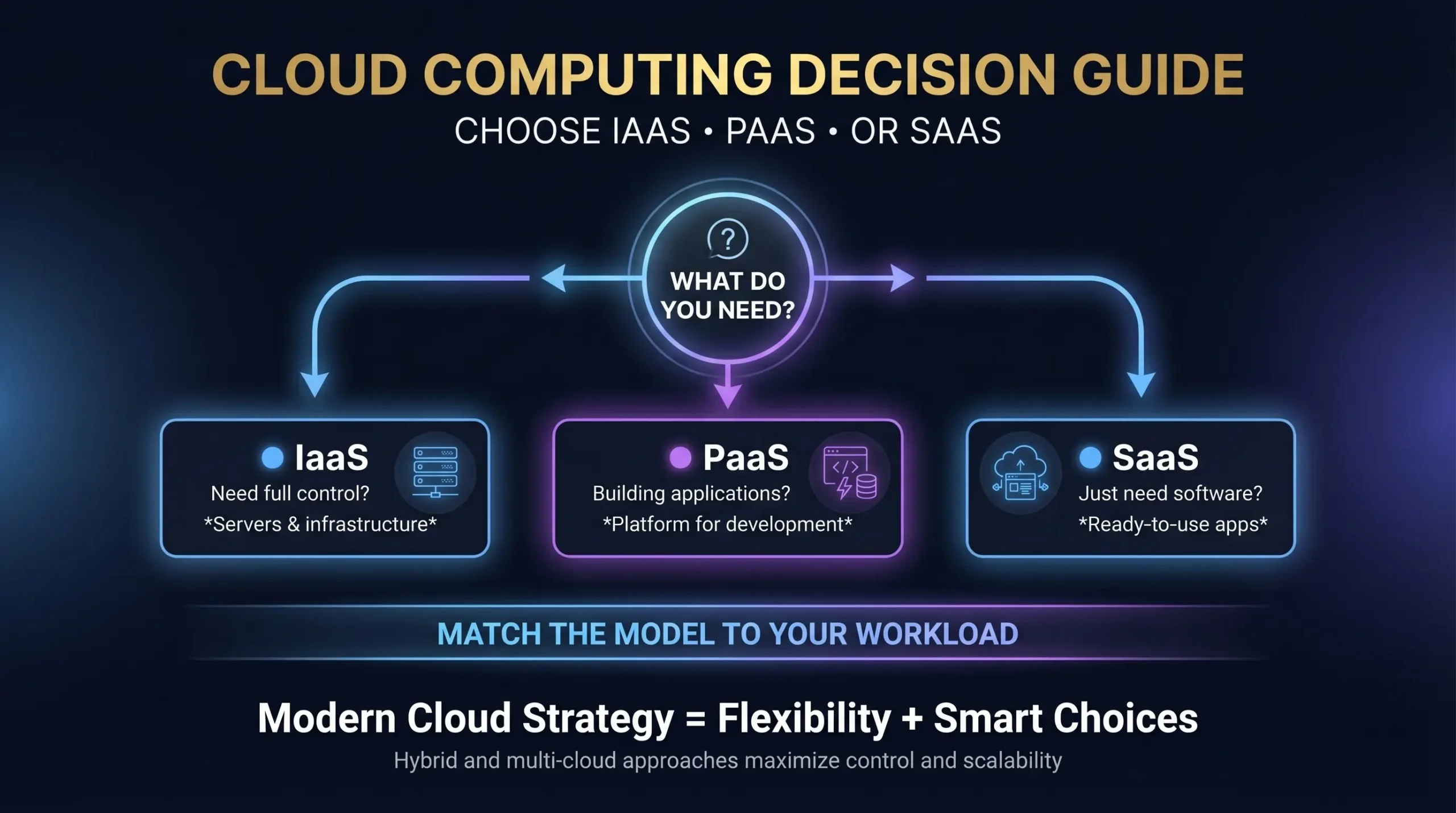
Strategic Decision Guide
Most modern enterprises adopt a hybrid or multi-cloud strategy. Mixing different cloud models prevents vendor lock-in and provides maximum operational flexibility. We evaluate our specific daily operations to select the correct path:
- Select IaaS to retain complete control over server operating systems, manage raw data center resources, or host complex legacy applications.
- Select PaaS to build, test, and release custom software products quickly without managing the backend server hardware.
- Select SaaS to access standard business tools, like email clients or customer relationship managers, immediately through a web browser.
Good catch. You are absolutely right. I formatted those as statements instead of actual questions.
Συχνές ερωτήσεις
What are the main differences between IaaS, PaaS, and SaaS?
The main difference lies in the level of management. IaaS provides virtual hardware. PaaS provides a framework for building applications. SaaS provides functional, ready-to-use software.
Which cloud model works best for a small business?
SaaS provides the easiest starting point. We need zero technical infrastructure or dedicated IT staff to start using standard business tools.
Can a company use IaaS, PaaS, and SaaS at the same time?
Yes. We can use IaaS to host a core company database, PaaS to develop a custom mobile application, and SaaS for internal employee email.
How do costs compare across the different cloud models?
Cloud pricing changes based on the specific service tier. IaaS and PaaS use a pay-as-you-go system based on exact resource consumption. SaaS usually requires a flat monthly fee per user.
Who handles security in a cloud environment?
The shared responsibility model dictates our security duties. Providers secure the physical hardware and data centers. We must protect our own data, user access credentials, and specific application settings.
How can businesses avoid vendor lock-in?
Moving databases between providers costs time and money. We lower this risk by using open-source tools, designing portable code, and adopting a multi-cloud strategy.
What technical skills do we need for each cloud model?
IaaS requires dedicated network engineers and system administrators. PaaS requires experienced software developers. SaaS requires minimal technical skill because the vendor manages the entire backend system.
How do cloud servers compare to on-premise servers?
On-premise servers give us physical control but require large upfront hardware purchases. Cloud services offer instant computing power and shift our spending to a predictable monthly operational budget.