 Перейти к содержимому



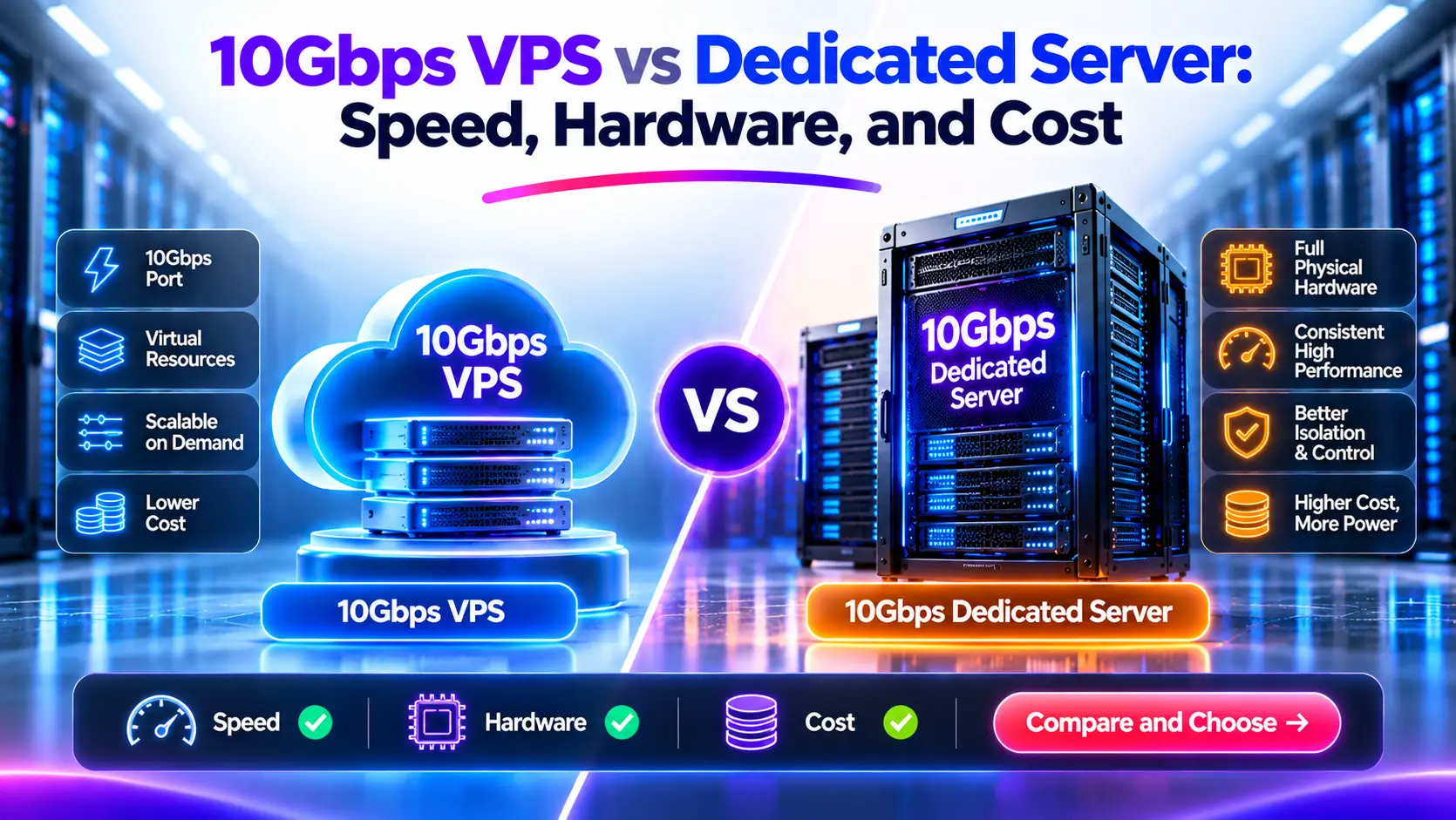
Two hosting plans can advertise 10Gbps and deliver very different results. One may offer a virtual server on a shared host connection. Another may provide a physical server with its own access port. Either can have traffic limits, service rate caps, or constraints elsewhere in the network.
A 10Gbps VPS is sufficient when its allocated resources, network terms, and measured performance meet your workload. A 10Gbps dedicated server makes sense when you need exclusive physical hardware, more suitable capacity, or control that a VPS cannot provide. The port label alone does not establish which option is faster or cheaper.
We recommend comparing the complete service: compute allocation, storage performance, usable network capacity, monthly transfer, and operating costs.
10Gbps VPS vs 10Gbps Dedicated Server at a Glance
A virtual private server runs as a guest on a physical host. A dedicated server assigns the physical machine to one customer, who can run applications directly or install a hypervisor.
| Фактор | 10Gbps VPS | Выделенный сервер 10Gbps |
|---|---|---|
| Physical machine | Usually shared with other guests | Assigned to one customer |
| CPU | Shared or reserved allocation, depending on the plan | Access to the machine’s physical processors |
| Овен | Allocated capacity; underlying memory resources may be shared | Machine memory available to your workloads |
| Место хранения | Virtual disks, sometimes with separate IOPS or throughput limits | Physical or provider-attached storage specified in the order |
| Network access | Virtual interface with service-specific limits | Physical interface with service-specific limits |
| Shared capacity | May exist on the host and farther upstream | Can still exist farther upstream |
| Monthly traffic | Metered, included, or unmetered under stated terms | Metered, included, or unmetered under stated terms |
| Administration | Root or administrator access is common | Root access plus hardware controls where supplied |
| Scaling | Often supports resizing or adding guests | Usually requires hardware changes or additional servers |
| Availability | Depends on platform design and workload configuration | Depends on hardware, failover, and workload configuration |
| Расходы | Can suit smaller or variable resource needs | Can suit sustained use of a larger resource allocation |
Neither hosting type defines all the terms in this table. A dedicated-CPU VM, for example, is different from a low-cost shared-CPU VPS.
What Does 10Gbps Mean on Each Plan?
The first step is to identify what the number describes. A host uplink, a guest limit, and a bandwidth commitment are separate specifications.
Host Uplink, Guest Limit, and Physical Port
The host uplink carries traffic from the physical virtualization host. Multiple VPS guests can use that connection.
The guest limit is the rate the provider permits for an individual VM. A host could have a 25Gbps connection while a particular guest is limited to 2Gbps. Another service could allow a guest to use up to 10Gbps when capacity is available.
The physical port connects a dedicated server or host to the network. Its link rate describes that interface. It does not describe every link between the server and your users.
A virtual NIC that displays 10Gbps inside the operating system does not prove that the provider reserves 10Gbps for your guest.
We suggest asking one direct question: What sustained outbound rate can this specific service use, and under which conditions?
Burst Rate and Sustained Capacity
Some plans allow short transfers above a baseline rate. Other plans use a fixed cap or a shared capacity pool without a formal credit system.
AWS documents baseline bandwidth and network credits for certain EC2 instances. Its documentation also separates single-flow, multi-flow, and destination-related limits. These rules describe the named AWS services; they are not a universal model for VPS hosting. See EC2 network bandwidth documentation.
For any burstable plan, check the baseline, possible burst rate, duration or credit rules, and behavior after the burst ends.
Public and Private Network Rates
A fast connection between instances in one location does not establish the same rate to internet users. Public traffic can cross different gateways, carrier links, and destination networks.
Confirm whether an advertised rate applies to public traffic, private traffic, inbound traffic, outbound traffic, or an aggregate. Use the relevant path in your tests.
Where Can Shared Capacity Affect Performance?
Sharing can occur at more than one point. Dedicated hardware removes other customers from the rented machine, but it does not create an exclusive route across the internet.
Several VPS Guests Can Share One Host Connection
Consider a hypothetical host with one 10Gbps uplink and ten guests, each configured with a maximum rate of 10Gbps.
The sum of their configured limits is 100Gbps. They cannot all send 10Gbps through that one uplink at once.
However, this does not mean each guest always receives exactly 1Gbps. Actual allocation depends on demand, configured limits, scheduling, and any reserved capacity. When few guests are active, one may use more spare capacity.
ITLDC provides a service-specific example by stating that its host network capacity is shared dynamically among users. The same page describes its use restrictions. Those terms apply to that service, not every VPS. See ITLDC’s VDS network explanation.
Dedicated Servers Can Share Upstream Links
This simplified example shows where the paths can join:
flowchart TD
A[“VPS guest A”] –> C[“Host network connection”]
B[“VPS guest B”] –> C
C –> E[“Provider switching network”]
D[“Dedicated server access port”] –> E
E –> F[“Upstream network”]
F –> G[“Receiving system”]
The dedicated server has its own access interface. Its traffic can still meet other traffic in the switching network or on upstream links.
For the wider network distinction, read our guide to shared and dedicated network ports.
Sharing Does Not Automatically Mean Poor Performance
Oversubscription describes a capacity relationship. Congestion occurs when traffic demand exceeds the capacity available at a point in time.
A shared service can work well when the provider has sufficient capacity and suitable allocation controls. A dedicated access link can still become the bottleneck when your own application exceeds its rate.
We therefore look for terms and measurements, rather than treating “shared” as proof of a problem or “dedicated” as a performance guarantee.
How Do CPU, RAM, and Storage Differ?
A 10Gbps connection cannot make the application produce data faster than its CPU or storage allows. Hardware allocation matters even when the main purchase goal is network throughput.
Shared vCPU, Dedicated vCPU, and Physical Cores
A vCPU is a virtual processing allocation. Its relationship to physical cores, hardware threads, and reserved execution time depends on the platform.
With shared-CPU hosting, other guests may compete for processor time. A dedicated-CPU VM reserves a defined CPU allocation, but that does not necessarily mean ownership of a complete physical core, processor socket, or server.
DigitalOcean, for example, distinguishes shared-CPU plans from dedicated-CPU plans that provide reserved access to hardware threads. Check the provider’s definition instead of treating every vCPU as a physical core. See DigitalOcean’s CPU plan guide.
On a dedicated server, the machine’s processors serve your workloads. If you install your own hypervisor, you control how your guests share those resources.
CPU Generation and Application Design Matter
Eight vCPUs on a modern host are not automatically slower than eight cores in an older physical server. The result depends on the processor, allocation, instruction support, and application.
A game server may depend heavily on one busy thread. A VPN gateway must process encryption and packets. A media server may spend more CPU time transcoding than sending the resulting stream.
Compare the actual task. Do not use core count or the hosting label as a substitute for a workload test.
RAM Capacity and Memory Access
A VPS can have a defined RAM allocation while sharing physical memory channels and caches with other workloads. Having enough allocated GB does not describe every aspect of memory performance.
For most modest applications, capacity is the first concern. For memory-heavy workloads, test performance under representative load rather than assuming more vCPUs will solve the problem.
NVMe Capacity and Disk Throughput
An NVMe label identifies a storage technology, not an exclusive performance allocation. A virtual disk may have an IOPS cap, a throughput cap, or a shared backing system.
At 10Gbps, the raw rate is 1.25GB/s before protocol overhead. A file server reading uncached data must supply that data quickly enough if it is to approach the network rate.
Check usable disk space, sequential reads, random I/O, and latency under the application’s access pattern. A warm-cache test may produce a result that does not represent a larger dataset.
Does 10Gbps Mean Unlimited Monthly Transfer?
No. Network rate and included data volume answer different questions.
A plan may offer a 10Gbps connection with 2TB, 20TB, or another monthly allowance. An unmetered plan uses different billing terms, but it still has finite capacity and may have acceptable-use restrictions.
Read the Billing Rules Separately
| Term | What it tells you | What it does not establish |
|---|---|---|
| 10Гб/с | A stated interface or service rate | Monthly data allowance |
| 20TB included | A stated data volume | Sustained transfer speed |
| неустановленный | Traffic billing under the agreement | Unlimited physical capacity |
| Dedicated port | Interface allocation | Exclusive upstream capacity |
| Committed bandwidth | A defined service obligation | Performance outside the stated service scope |
Check whether the provider counts outbound traffic, inbound traffic, or both. Leaseweb’s published table, for example, lists different directions for different product types. Use the terms for the exact service you order. See Leaseweb metering and billing.
Also check what happens when an allowance runs out: extra charges, a lower rate, suspension, or a required upgrade.
Our guide to unmetered, unlimited, and metered bandwidth explains those billing models in more detail.
How Quickly Can a Fast Port Use a Small Allowance?
Using decimal units, 10Gbps equals 1.25GB/s before overhead.
| Data volume | Theoretical transfer time at 10Gbps |
|---|---|
| 2TB | 26 minutes, 40 seconds |
| 10TB | 2 hours, 13 minutes, 20 seconds |
| 20TB | 4 hours, 26 minutes, 40 seconds |
These calculations assume a constant raw rate. They are not file-transfer promises. Actual transfer takes longer when payload throughput falls below that rate.
A fast port can shorten a transfer window while still offering too little included traffic for the month.
How Should We Compare the Total Cost?
First identify the services that can complete the same job. Then compare their costs.
A cheap VPS that cannot finish a required backup window is not a suitable alternative. A physical server with mostly idle resources may cost more than a VPS that already meets the requirement.
Include More Than the Plan Price
Monthly total = rental + charged transfer + added storage + backups + licenses + management + redundancy costs
Record the CPU allocation, usable storage, network limits, traffic allowance, and support scope beside each price. Include renewal prices, setup fees, and minimum terms.
For a broader virtual-hosting comparison, see VPS and cloud instance costs.
An Illustrative Traffic-Cost Comparison
Suppose one VPS costs $60 per month, includes 10TB of outbound transfer, and charges $10 for each additional TB. Suppose a dedicated option costs $250 with eligible outbound traffic included.
These are invented inputs for explaining the calculation, not advertised offers. Assume both services meet the workload and use the same decimal traffic units.
| Monthly outbound traffic | VPS rental plus transfer | Dedicated rental |
|---|---|---|
| 5TB | $60 | $250 |
| 10TB | $60 | $250 |
| 20TB | $160 | $250 |
| 29TB | $250 | $250 |
| 40TB | $360 | $250 |
The simplified crossover is:
10TB + (($250 − $60) ÷ $10 per TB) = 29TB per month
Now add $80 monthly in operating costs to the VPS and $120 to the dedicated option. Their fixed totals become $140 and $370. Under the same transfer assumptions, parity moves to 33TB.
That change shows why rental-only comparisons can mislead. Replace every input with the actual quote and operating budget. If the provider throttles traffic instead of billing linear overage, use a different model.
Can Several VPS Instances Replace One Dedicated Server?
Sometimes, but their capacity does not automatically combine into one faster application.
A workload must support distribution across guests. Add the costs of traffic routing, duplicated data, replication, and management. Check whether the provider pools transfer allowances or bills each guest separately.
Also confirm host placement. Several guests on one physical machine do not provide protection from that host’s failure.
One dedicated server has its own failure risks too. Compare complete designs with the availability you need, not one server against several guests without considering placement.
When Is a 10Gbps VPS Enough?
A VPS is a sound choice when it meets the workload’s resource needs, traffic terms, and performance target with suitable room for growth.
Websites and APIs With Short Peaks
A website may need spare network capacity during a promotion without using a physical server’s resources all day. If the VPS handles peak requests and fits its transfer allowance, dedicated hardware may add little value.
Check application response time and error rates during the peak. A larger network limit will not fix a slow database query.
Backups With a Defined Transfer Window
Suppose we need to move 500GB in one hour. Using decimal units:
Required payload rate = 500 × 8 ÷ 3,600 = about 1.11Gbps
The path must carry more than that raw rate to account for protocol overhead. We should also allow room for normal variation and other work.
A suitable VPS may complete the job. An advertised 10Gbps label alone does not prove it will. Test the actual source, destination, storage, and transfer application.
Modest VPN, Media, and Download Workloads
These workloads do not automatically require bare metal. Their size, duration, CPU needs, and permitted-use terms matter.
A small VPN may fit a VPS well. A busy VPN gateway may hit encryption or packet-processing limits before using the full network rate. A media origin behind an effective cache may send far less traffic than the total volume delivered to viewers.
We recommend measuring first, then checking a larger VPS or dedicated-CPU VM before assuming that a physical server is necessary.
When Does a 10Gbps Dedicated Server Make Sense?
Dedicated hardware becomes useful when the suitable virtual plans cannot meet the requirement or cost more for the complete service.
Sustained Work Beyond the Available VPS Plans
Continuous file delivery, heavy computation, or large storage demand may exceed the practical or contractual limits of the VPS options available.
The relevant evidence is sustained demand, the service limits, and application results. There is no universal CPU percentage or monthly TB threshold that requires dedicated hosting.
A Need for Hardware Control
A dedicated server may provide access to physical disks, a chosen RAID layout, remote console controls, firmware settings, or a custom virtualization platform. Confirm which controls the provider actually supplies.
Root access inside a VM is not the same as control over the physical host.
Problems Linked to Host Resource Sharing
If application delays repeatedly occur alongside evidence of CPU scheduling pressure or shared-storage limits, a different allocation may help.
Guest CPU steal time can be a useful signal, but it does not identify every bottleneck. Low steal time does not rule out storage or network contention. Use several measurements and discuss the findings with the provider.
Before moving, rule out problems that dedicated hardware will not fix: slow remote clients, packet loss along the route, application locks, or poor database access patterns.
For hardware selection after that decision, read how to choose a 10Gbps dedicated server.
How Can We Test a VPS Against a Dedicated Server?
A useful comparison measures the same workload under documented conditions. A single speed-test screenshot is not enough.
Test One TCP Stream and Multiple Streams
Use a receiving endpoint that you control or have permission to test. It needs sufficient network and CPU capacity. Follow the hosting provider’s testing policy and check your transfer allowance.
With an iperf3 server already running on that endpoint, these examples test outbound traffic from the machine under review:
# Replace test-host.example with your authorized test endpoint.
iperf3 -c test-host.example -t 20 -J
iperf3 -c test-host.example -t 20 -P 4 -J
The first uses one stream. The second uses four. Run tests separately and compare both outcomes. Multiple streams can reveal aggregate capacity, but that result does not prove that one application connection can achieve the same rate.
Use -R for a separate reverse-direction test. Record the tool version; iperf3 3.16 and later use a thread per test stream. See the official iperf3 options.
At a constant raw 10Gbps, a 20-second transfer represents about 25GB. Short tests can still use a noticeable amount of quota.
Repeat at Representative Times
Test during the periods when your users need the service. Include more than one destination network and record the path and location.
A short test does not prove performance after a burst allowance ends. If sustained testing is needed, agree on suitable conditions and duration with the provider.
Measure the Other Limits
| Observation | What to investigate |
|---|---|
| One stream is slow but several are faster | Flow limits, TCP behavior, latency, endpoint processing |
| CPU reaches its limit during transfer | Encryption, packet processing, application work, CPU allocation |
| File transfers lag behind network-only tests | Storage reads, writes, caching, application limits |
| Performance falls after a short burst | Documented baseline, credit, or shaping rules |
| Results vary by destination | Routing, congestion, packet loss, remote capacity |
| Application latency rises without high network use | CPU, storage, locks, database work, scheduling |
These observations suggest checks; they do not prove a cause on their own. RFC 6349 discusses TCP testing in terms of path conditions, host capability, and connection behavior. See the TCP throughput testing framework.
Test the Application Before Choosing
Finish with the real job: an encrypted VPN transfer, a file download, a backup, or an application load test.
Record completion time, errors, response latency, CPU use, storage behavior, and transferred bytes. Use those results to determine whether the service meets the requirement.
Which Option Fits Your Workload?
| Workload or problem | First option to assess | Main condition |
|---|---|---|
| Small API with brief peaks | VPS | Peak response targets and resource needs fit |
| Shared CPU pressure with modest storage needs | Dedicated-CPU VM or another VPS plan | Reserved allocation addresses the measured issue |
| Short backup jobs | VPS or dedicated | Actual path meets the transfer window |
| Continuous large downloads | Suitable high-transfer VPS or dedicated server | Sustained rate, disk reads, and billing terms fit |
| Game server | Suitable CPU and nearby network location | Latency and application thread performance matter more than port size |
| Heavy VPN gateway | Compare both with encryption enabled | CPU, packet rate, and network terms meet demand |
| Physical disk or firmware control | выделенный сервер | Required access is included |
| Slow destination connection | Fix or account for the remote limit | A larger source port will not remove that limit |
Questions to Ask Before Ordering
- Does 10Gbps describe the host connection, the guest cap, or a committed rate?
- What sustained rate applies to public outbound traffic?
- Are there burst-duration, credit, packet-rate, or flow limits?
- Is CPU access shared, reserved, or tied to specified physical resources?
- What storage IOPS and throughput limits apply?
- How much transfer is included, and which direction counts?
- What happens when we reach the allowance or fair-use threshold?
- Is our workload permitted under the service terms?
- How do mitigation, support, and management affect the service?
- What placement and failover options meet our availability needs?
For any performance commitment, ask where it applies, how it is measured, and what remedy the agreement provides.
Часто задаваемые вопросы
Can a 10Gbps VPS Reach the Full Advertised Rate?
It may approach that rate under suitable conditions if the configured limits, host capacity, CPU, path, and destination allow it. Application payload throughput remains below the raw link rate because of overhead. A successful short test does not establish a sustained guarantee.
Is a 10Gbps Dedicated Server Always Faster?
No. CPU generation, application design, storage, routing, and service limits can matter more than the hosting label. Dedicated hardware removes other tenants from the machine, but it does not remove every performance constraint.
Is Dedicated CPU VPS the Same as a Dedicated Server?
No. A dedicated-CPU VM reserves a defined compute allocation. It can still share the physical host, memory system, storage infrastructure, or network. A dedicated server assigns the machine to your use.
Does Unmetered Mean Full-Speed Use All Month?
Not by itself. Unmetered is a billing term. Check the sustained-use policy, configured rate, permitted traffic, and service commitment before assuming continuous full-rate use is included.
Can Several VPS Instances Share One Physical Host?
Yes. Unless placement is specified, several instances may share a host or another failure domain. Ask about placement controls if the reason for using several guests is availability.
Will Dedicated Hosting Fix High Latency?
Only when a problem it removes contributes to that latency. A remote server location, poor route, slow database query, or receiving-network limit can remain after moving to dedicated hardware.
How Much Data Can 10Gbps Carry in a Month?
At continuous raw line rate for 30 days, 10Gbps represents 3.24PB in one direction using decimal units. This is a theoretical ceiling. Overhead, workload behavior, network conditions, and plan terms determine usable transfer.
Can We Move From VPS to Dedicated Later?
Yes, if the operating system and application requirements fit the target. Plan data synchronization, application tests, cutover, monitoring, and rollback. Stateful services and large datasets can require more work than copying files and changing DNS.
References and Data Sources
Sources checked November 5, 2026:
- DigitalOcean: Choosing the Right CPU Droplet Plan. Shared and dedicated CPU allocation.
- AWS: EC2 Instance Network Bandwidth. Baseline, burst, destination, and flow-dependent behavior.
- ITLDC: VDS Network Connection Speed. A provider-specific example of shared host capacity and use terms.
- Leaseweb: Metering and Billing. Billing models and traffic direction by product.
- ESnet: Invoking iperf3. Test options and behavior.
- RFC 6349: Framework for TCP Throughput Testing. Throughput assessment across the network path.
All numerical examples in this article state their assumptions. They do not represent measured hosting results.
Recommended Next Steps
Start with your peak workload, monthly transfer, and required completion times. Check the CPU, storage, and network limits of the plans that fit. Then compare their complete monthly costs and test the actual application.
If a VPS meets those requirements, it remains a valid choice. If the evidence supports physical hardware, compare our 10Gbps dedicated server options. Share your measured traffic, compute, storage, and availability needs so we can assess a suitable configuration.