 Перейти к содержимому



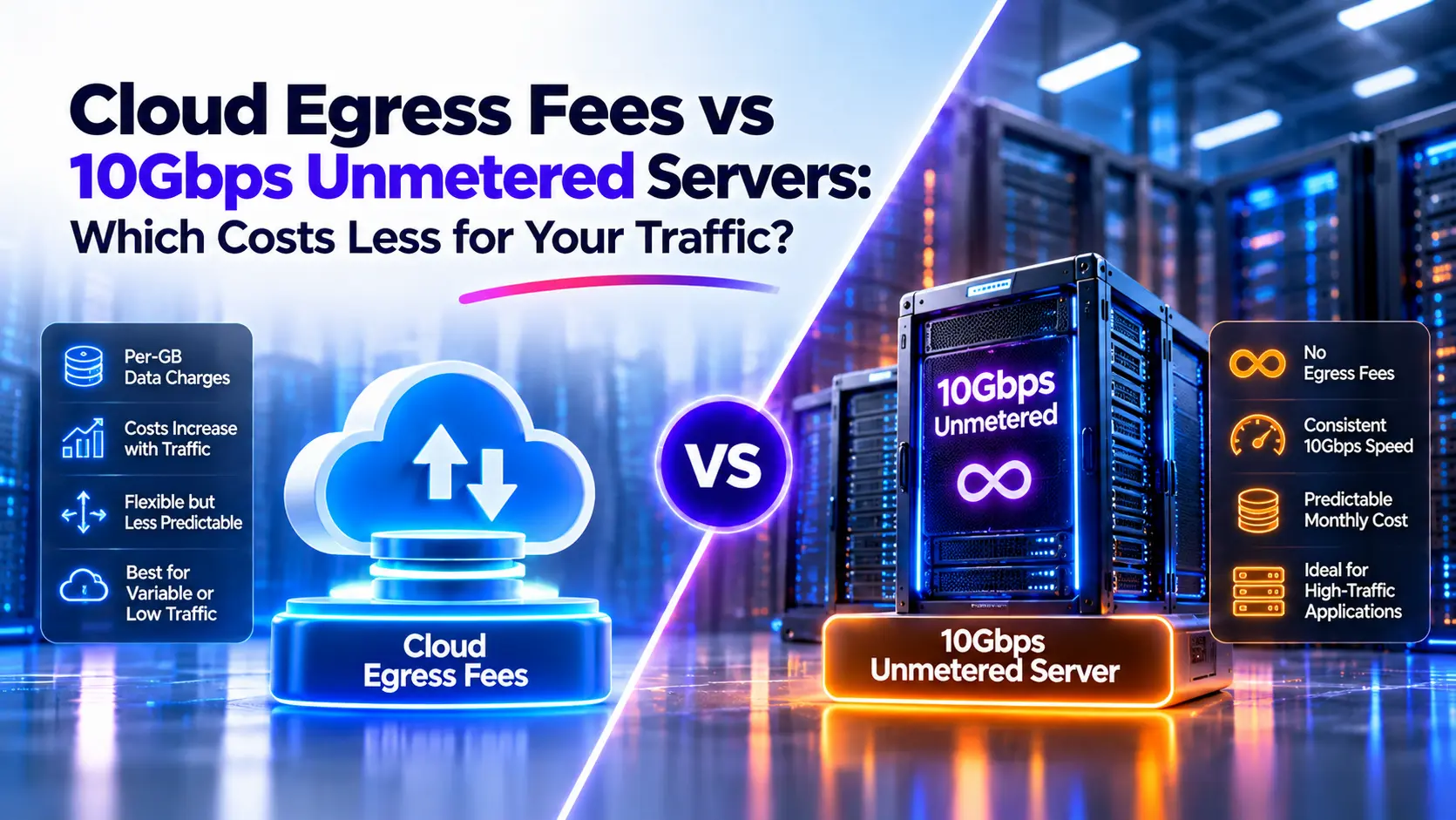
A growing download or streaming service can spend more sending data than running its application. That makes a fixed monthly bandwidth bill worth checking. But comparing a cloud egress charge with a server rental tells only part of the story.
A 10Gbps unmetered server becomes cheaper when the cloud costs you can remove exceed the full cost you add. That includes server rent, management, backups, and any required spare capacity. Your traffic volume, pricing tiers, retained cloud services, and availability needs determine the break-even point.
We will work through that calculation, then check whether the lower-cost setup can handle the workload.
Cloud Egress vs Unmetered Servers: A Quick Comparison
| Decision factor | Metered cloud setup | 10Gbps неизмеримый сервер |
|---|---|---|
| Outbound transfer billing | Often charged by volume after an allowance | Eligible transfer included in the agreed monthly fee |
| Monthly cost | Changes with resource use and billable traffic | Server rental is fixed; other operating costs can vary |
| Capacity | Depends on the instance, services, quotas, and network | Depends on the physical server, port, and network path |
| Scaling | Can use on-demand resources and managed services | Usually requires a larger server, extra nodes, or hybrid capacity |
| Operating work | Depends on how much the cloud service manages | Depends on the hosting and management agreement |
| Availability | Must be designed and paid for | Must be designed and paid for |
| Good reason to consider it | Variable demand or valuable managed services | Sustained outbound traffic with suitable hardware needs |
Neither option wins on bandwidth price alone. We need to compare two setups that can meet the same application requirements.
What Are Cloud Egress Fees?
Cloud egress fees are charges for data leaving a cloud service or network boundary. For this comparison, the main charge is internet data transfer from the hosted workload to users or external systems.
Downloads, video delivery, API responses, and backup restores can all produce outbound traffic. Copying data to another provider can also create a transfer charge.
Separate Internet Egress From Other Network Charges
Use three categories when reviewing a bill:
- Ingress: Data entering a service.
- Internet egress: Data leaving the service for public internet destinations.
- Internal transfer: Data moving between services, zones, or regions under separate billing rules.
A single application request can create more than one billable event. For example, data might cross a region boundary before a server sends it to a user.
The practical task is to trace the bytes. List the service that sends them, the destination, and each network component on that route.
Check the Allowance That Is Still Available
Do not assign the full advertised allowance to every server. AWS, for example, pools its 100GB monthly free internet transfer allowance across eligible services and regions, with stated exclusions. Other workloads may already use it. See AWS EC2 pricing.
For a new workload in an existing account, use its added cost to the account. This may differ from the bill it would produce in an otherwise empty account.
What Does a 10Gbps Unmetered Server Include?
A 10Gbps unmetered dedicated server combines physical hardware with a specified network service. The monthly rental covers the quoted configuration. Eligible traffic does not incur per-GB overage charges under the unmetered agreement.
The word 10Гб/с describes a rate. It does not, by itself, describe how the provider bills traffic.
| Plan description | What to check |
|---|---|
| 10Gbps with 100TB | A fast port with a monthly transfer allowance; check overage terms |
| 10Gbps unmetered | No per-GB charge for eligible traffic; check sustained-use and port terms |
| Shared 10Gbps | How other users can affect available capacity |
| 95th-percentile billing | Measurement interval, committed rate, and charges above the commitment |
We recommend confirming the sustained permitted rate, port allocation, traffic restrictions, DDoS handling, and support scope before comparing costs.
Atal Networks currently lists the ATAL10G plan at $690 per month, with 64GB RAM, a 1TB SSD, and 10Gbps unmetered bandwidth. Check the selected CPU, location, and order terms on our 10Gbps server page.
That listing is a price reference. It does not establish that one server can replace your current cloud configuration.
How to Calculate the Cost Break-Even Point
Start with two monthly totals:
Current cost = current base costs + current variable network charges
Proposed cost = server and operating costs + retained cloud costs + remaining variable charges
Break-even occurs where those totals match.
First Run a Bandwidth-Only Check
Suppose a server costs $690 monthly and the applicable egress rate is $0.087 per GB. If 100GB remains free, the traffic volume at which egress alone reaches $690 is:
100 + ($690 ÷ $0.087) = 8,031GB, or about 8.03TB per month.
This is a useful first check. It does not include the cloud compute cost that could stop, or the server operating costs that would start.
Then Compare the Full Monthly Cost
For a flat rate within one pricing band, use:
Break-even volume = remaining free allowance + (proposed monthly cost − current base cost) ÷ egress rate
Here, the proposed monthly cost must include all new and retained fixed costs. The shortcut assumes the proposed setup has no remaining volume-based charges.
Consider these illustrative inputs:
| Input | Monthly amount |
|---|---|
| Current cloud base cost, excluding egress | $400 |
| Proposed server rental | $690 |
| Added operations and backup budget | $210 |
| Proposed total | $900 |
At $0.087 per GB, with 100GB free:
100 + (($900 − $400) ÷ $0.087) = 5,847GB, or about 5.85TB.
At that point, the modeled cloud bill is $400 plus $500 in egress. Both setups cost $900 monthly.
The $400 and $210 figures are assumptions for this example. Replace them with your bills and operating budget. A workload that needs costly administration, storage, or redundancy will produce a different answer.
If the proposed fixed cost is already lower than the current base cost, do not report a negative traffic threshold. Check whether the proposed setup meets the same needs before treating it as a saving.
Apply Progressive Rates Correctly
A lower volume rate usually applies only to bytes in that band. Do not multiply every byte by either the first rate or the cheapest rate reached.
For a tiered bill:
Egress charge = charge in band 1 + charge in band 2 + charge in each remaining band
Also include any traffic-dependent costs that remain after migration. In a hybrid setup, solve the current and proposed totals at each volume rather than using the simple shortcut.
Current Pricing: Use the Right Product, Route, and Unit
Cloud providers do not have one universal egress rate. Use the exact service, source region, destination, network tier, and contract rate for your workload.
| Pricing source | What matters for this comparison |
|---|---|
| AWS EC2 | Regional rates, aggregated transfer tiers, and remaining shared allowance |
| Azure Bandwidth | Source geography and Premium Global Network versus transit ISP routing |
| Google Cloud VPC | Source, destination, Standard versus Premium Tier, and GiB billing |
| Atal Networks ATAL10G | Exact hardware, location, rental, network terms, and operating costs |
For the examples below, we use Azure Premium Global Network internet egress from North America to any destination. The published schedule provides 100GB free, then charges $0.087/GB for the next 10TB, $0.083/GB for the next 40TB, and $0.07/GB for the next 100TB. Azure defines 1TB as 1,000GB on this page.
These rates do not represent Azure’s lower-priced transit ISP route or every cloud provider.
Do Not Mix GB and GiB
Our worked tables use decimal units: 1TB = 1,000GB.
Google Cloud lists VPC transfer in GiB. One GiB is 1,073,741,824 bytes, so 1,000 decimal GB is about 931.32GiB. Convert the traffic before applying a per-GiB price.
Keep network tiers separate too. For the Iowa Standard Tier selection reviewed, Google lists 200GiB free and $0.085/GiB from 200 to 10,240GiB. Premium Tier has a different schedule and destination rules. A blended comparison can conceal those differences.
Worked Costs at 10TB, 50TB, and 100TB per Month
This table extends the $400 cloud-base and $900 proposed-cost example. It applies the stated Azure rate bands progressively.
Assumptions: The full 100GB allowance remains available. All listed volume is eligible internet egress on that route. The cloud base remains $400. The proposed setup remains $900 and can serve the workload. There are no additional variable charges, taxes, private discounts, or one-time migration costs in this model.
| Outbound volume | Calculated egress | Cloud total: $400 + egress | Proposed total | Monthly saving with proposed setup |
|---|---|---|---|---|
| 1TB | $78.30 | $478.30 | $900.00 | −$421.70 |
| 5TB | $426.30 | $826.30 | $900.00 | −$73.70 |
| 10TB | $861.30 | $1,261.30 | $900.00 | $361.30 |
| 25TB | $2,106.70 | $2,506.70 | $900.00 | $1,606.70 |
| 50 ТБ | $4,181.70 | $4,581.70 | $900.00 | $3,681.70 |
| 100 ТБ | $7,683.00 | $8,083.00 | $900.00 | $7,183.00 |
A negative saving means the proposed setup costs more. These are calculated results under the listed assumptions, not promised savings.
Example 1: A Download Service Replaces Its Cloud VM
At 10TB monthly, the model produces $361.30 in recurring savings. That result requires the $400 cloud base cost to stop and the $900 replacement budget to cover the required service.
Before moving, test the actual download workload. Check file size, storage reads, concurrent clients, TLS processing, and delivery to the main user regions. A price comparison is incomplete if the new server cannot meet peak demand.
Example 2: A Media Platform Keeps Part of Its Cloud Setup
Now suppose the platform sends 50TB monthly but must keep $300 of its $400 cloud base cost. The new delivery server and operations cost $900. After moving delivery, 2TB monthly still leaves cloud for content updates or other transfers.
Using the same egress schedule and available allowance:
- Current monthly cost: $4,581.70.
- New server and operating costs: $900.
- Retained cloud base: $300.
- Remaining 2TB egress: $165.30.
- Proposed monthly total: $1,365.30.
- Modeled monthly saving: $3,216.40.
The 2TB figure is a workload assumption, not an automatic result of adding a delivery server. Measure cache fills, data copies, and application traffic to estimate it.
Example 3: The Service Needs Two Servers
Suppose the proposed design needs two servers at $690 each plus a $420 operating budget. Its total becomes $1,800 monthly.
Against the same $400 current base, egress must reach $1,400 for parity. That crosses into the second pricing band, producing a break-even point of about 16.49TB per month.
This example shows how availability requirements can move the threshold. It does not prove that two servers match a multi-zone cloud design. Their locations, failover method, data replication, and remaining capacity during failure must meet the required service level.
Which Extra Costs Change the Result?
We recommend a line-by-line cost review before relying on the table above.
| Cost item | Question to answer |
|---|---|
| Compute | Which instances can we stop, and which must remain? |
| Место хранения | How much usable space and read throughput do we need? |
| Backups | Where will copies live, and what will restore cost? |
| NAT and gateways | Which bytes actually pass through these services? |
| Cross-zone or cross-region transfer | Will replication continue after the move? |
| Load balancing | What replaces routing, health checks, and failover? |
| Безопасность | Who handles updates, access control, and incident response? |
| Управление | What work is included, and what requires paid staff time? |
| Licenses | Are OS, database, or control-panel licenses transferable? |
| Commitments | Will minimum spending or reserved capacity remain payable? |
Assign every item to remove, retain, add, or uncertain. Resolve uncertain items before making the decision.
Do not count the same operating cost twice. If the current base already includes monitoring staff, compare the change in that cost. Do not add the full team cost only to one side.
A long-term cloud commitment also changes the timing. A VM may stop using resources while a payment obligation continues. Count cash savings when the cost actually ends.
Can a 10Gbps Server Handle Your Traffic?
Monthly volume tells us how much data moves. It does not tell us how quickly users need it.
Convert Volume Into Average Throughput
For a 30-day month:
Average Gbps = monthly decimal TB × 8,000 ÷ 2,592,000
| Monthly outbound volume | Continuous average rate |
|---|---|
| 10TB | 30.9Mbps |
| 100 ТБ | 308.6Mbps |
| 500TB | 1.54Gbps |
| 1PB | 3.09Gbps |
A 10Gbps link running continuously for 30 days has a theoretical one-direction transfer capacity of 3.24PB. Protocol overhead, application limits, and network conditions reduce usable payload throughput.
This is a mathematical line-rate limit, not a delivery promise.
Plan Around Peaks and Failure
A release mirror may send most of its monthly data during a short software launch. A video service may concentrate demand into evening hours. Either can need far more capacity than its monthly average suggests.
Measure short-interval peaks and the duration of those peaks. If one of two active servers fails, check whether the remaining server can carry the required load.
Before migration, test:
- Representative files and application responses.
- Several client networks in the target markets.
- The expected number of concurrent connections.
- CPU use during encryption and application processing.
- Storage throughput for the actual file mix.
- Performance during backup, replication, and failover.
Raw network tests are useful, but they do not replace application tests. We need evidence that the complete delivery path meets the workload.
How CDNs and Hybrid Setups Change Break-Even
A CDN can serve cached content without fetching every response from the origin. This can reduce origin transfer and change the cost case for unmetered hosting.
Use this rough starting point:
Origin transfer ≈ user delivery volume × (1 − byte cache hit ratio) + other origin transfers
At 100TB of delivery and a 95% byte cache hit ratio, cache misses account for roughly 5TB before other origin traffic. Add cache warming, refreshes, replication, and transfers that bypass the cache where applicable.
Use a byte cache hit ratio. A high request hit ratio can hide large uncached downloads.
The full comparison must include CDN delivery, requests, cache fills, and any applicable origin charges. Some provider-to-CDN routes have different transfer terms, so do not apply the normal internet rate without checking the route.
A Dedicated Proxy Does Not Automatically Remove Cloud Egress
Suppose every download follows this route:
Cloud storage → dedicated server → user
If the dedicated server fetches the entire file from the cloud for every request, cloud outbound traffic may remain close to the original amount. The server adds another bill without removing much egress.
Savings depend on a real change: storing the files outside cloud, caching them for repeat use, reducing fetched bytes, or changing to a lower-cost transfer route.
This is why we compare the bytes that still leave the cloud after the change.
When Should You Stay in the Cloud, Move, or Use Both?
| Workload situation | Option worth testing | Main reason |
|---|---|---|
| Low outbound traffic and modest resource needs | Keep the cloud setup | A large fixed server cost may exceed egress savings |
| Steady software downloads with local file storage | Unmetered dedicated delivery | Repeated outbound traffic can suit fixed transfer billing |
| Global static media with strong cache reuse | CDN plus a suitable origin | Delivery location and cache efficiency affect both cost and performance |
| Application depends on managed cloud databases | Hybrid setup | Delivery can move while database services remain |
| Short, large compute bursts | Cloud or hybrid capacity | Idle dedicated hardware can be expensive between bursts |
| Mostly object downloads | Compare no-egress object storage | A storage service may meet the need without a full server |
| Strict availability needs | Compare complete redundant designs | One server is not a replacement for every cloud architecture |
For example, Cloudflare R2 lists no egress bandwidth charge but still charges for storage and operations, with retrieval fees for its Infrequent Access class. It deserves consideration for suitable object workloads. It is not a general-purpose computer replacement. See R2 pricing.
We also recommend checking whether a lower-cost cloud route, a bundled-transfer plan, or a smaller dedicated port meets the requirement. The useful choice is the least costly setup that meets the workload, not the largest port available.
How Long Will Migration Take to Pay for Itself?
Monthly operating savings and migration payback answer different questions.
Payback period = one-time migration cost ÷ recurring monthly savings
If migration costs $3,000 and saves $600 each month, simple payback is five months. Both figures are illustrative.
Include engineering time, data copying, parallel operation, testing, and any required application changes in the one-time budget. Allow for a rollback period before ending the old service.
If monthly savings are zero or negative, there is no positive cost payback under that model. A move might still serve another goal, but cost savings would not support it.
Also distinguish an exit credit from normal transfer pricing. AWS and Azure describe conditional transfer relief for eligible departures. That does not make ongoing delivery traffic free. Check the current eligibility and process in their official pricing documentation.
Часто задаваемые вопросы
At What Traffic Volume Does a 10Gbps Unmetered Server Become Cheaper?
There is no single threshold. In our stated one-server model, parity occurs near 5.85TB monthly. The two-server model reaches it near 16.49TB. Your remaining cloud costs, contract rates, server requirements, and operating budget can move that point.
Does Unmetered Bandwidth Mean Unlimited Speed?
No. The port rate, hardware, network path, and service terms still limit throughput. Unmetered describes how eligible traffic is billed. It does not promise that every destination can receive data at the full port rate.
Is a 10Gbps Server With 100TB the Same as 10Gbps Unmetered?
No. A 100TB plan has a transfer allowance even if the port can send at 10Gbps. Check what happens after that allowance: overage charges, a speed change, or another limit may apply under the agreement.
Will Moving to a Dedicated Server Remove All Cloud Egress Fees?
Only if the billable cloud traffic stops. Data sent from retained cloud databases, storage, backups, or other services can still create charges. Map the traffic that remains before calculating savings.
Should We Compare One Server or Two?
Compare the number needed to meet your availability and capacity requirements. If the workload must continue through a server failure, include spare capacity, failover, and data replication in both the design and the cost model.
How Do We Handle Negotiated Cloud Rates?
Use the rates you actually pay. Apply discounts, allowance sharing, and minimum commitments according to the contract. Public list prices are a reference, not a substitute for your bill.
Does a CDN Make Unmetered Hosting Unnecessary?
Not always. A CDN may reduce origin traffic enough that a smaller origin makes sense. Workloads with frequent cache misses or large updates can still send substantial origin data. Compare the whole delivery cost and test the required throughput.
References and Data Sources
Pricing and service references checked November 5, 2026:
- Microsoft Azure: Bandwidth pricing. Source for the North America Premium Global Network schedule used in the worked model.
- AWS: EC2 On-Demand pricing. Transfer allowance aggregation, billing scope, and eligible departure provisions.
- Google Cloud: VPC pricing. Network tiers, regional selections, destinations, and GiB billing.
- Atal Networks: 10Gbps server options. Published ATAL10G configuration and rental reference.
- Cloudflare: R2 pricing. Storage, operations, retrieval, and egress terms.
The cost tables and capacity figures are our calculations using the stated inputs. No customer savings or measured throughput results are claimed.
Recommended Next Steps
- Export recent cloud bills and separate base costs from transfer charges.
- Measure outbound volume, peak throughput, and traffic that would remain in the cloud.
- Price a replacement with the required storage, support, backups, and failover capacity.
- Apply the correct allowances and pricing tiers to both designs.
- Test the workload, then calculate migration payback before committing.
If your costs point toward dedicated delivery, compare our 10Gbps unmetered server options. Share your monthly transfer, peak traffic, storage needs, and availability target so we can assess a suitable configuration.