 Skip to content








Dedicated Server vs Bare Metal: Key Differences
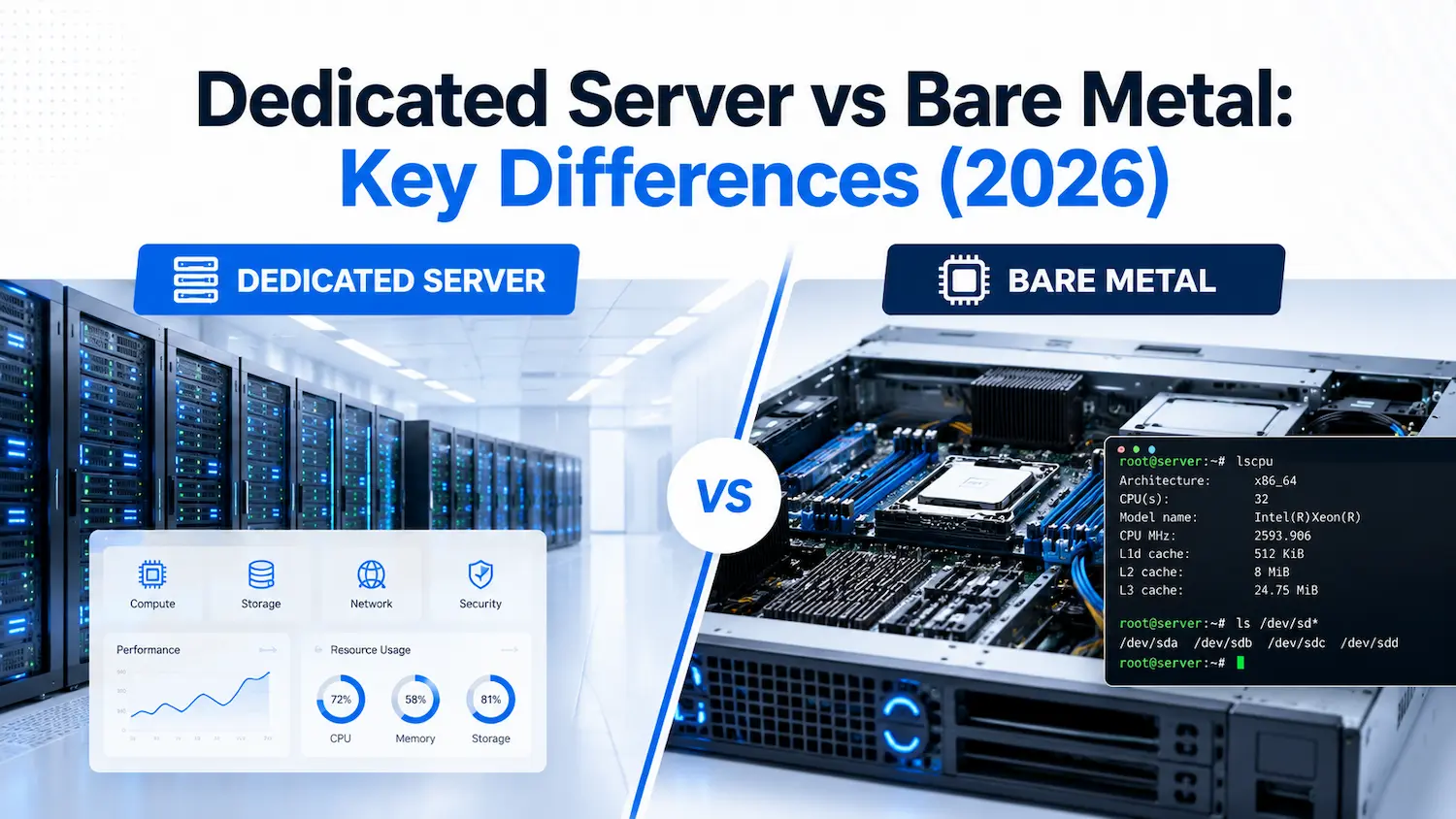
A dedicated server and a bare metal server both give you exclusive access to a physical machine, with no other tenant sharing your CPU, RAM, or storage. The real difference comes down to how the provider packages that hardware: provisioning speed, virtualization rights, billing structure, and who manages what. We break down each distinction below, with real specs, so you can match the right option to your workload.
What Is a Dedicated Server?
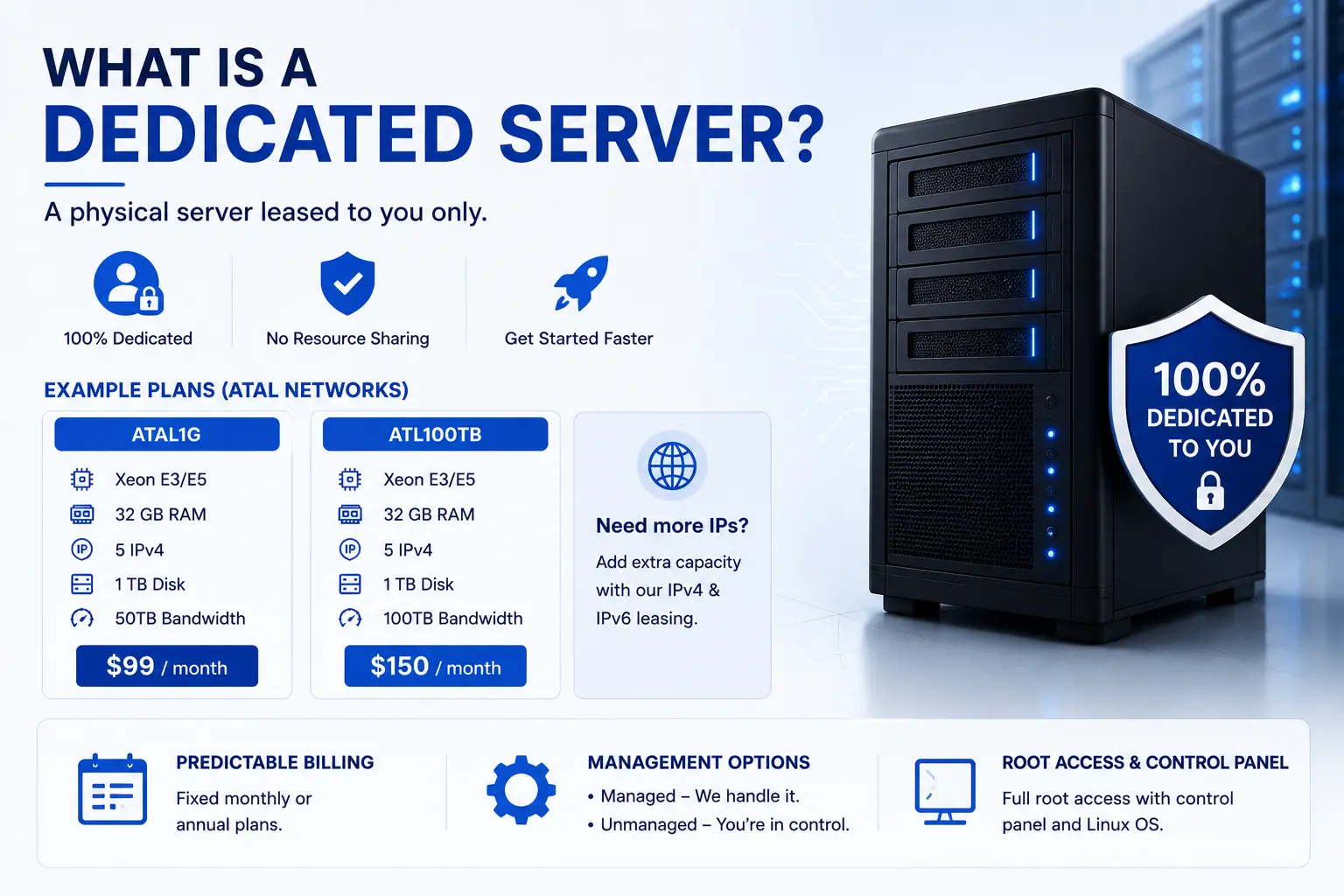
A dedicated server is a physical machine leased entirely to one client, with no resource sharing and no other tenant on the box. Most dedicated servers ship with a pre-installed operating system and a standardized hardware configuration, which gets you running faster than a from-scratch build.
At Atal Networks, our ATAL1G plan delivers a Xeon E3/E5 processor, 32 GB of RAM, 5 IPv4 addresses, 1 TB of disk, and 50TB of bandwidth for $99 a month. Our ATL100TB plan steps up to 100TB of bandwidth on the same processor class for $150 a month. Both ship with root access, a control panel, and a Linux operating system ready to configure. Projects needing additional address space beyond the included IPs can add capacity through our IPv4 and IPv6 leasing service.
Dedicated hosting bills on a fixed monthly or annual schedule. That predictability matters for budgeting, since you know your infrastructure cost in advance instead of tracking variable usage charges. Providers commonly offer two management paths: managed, where the provider handles patching, monitoring, and updates, or unmanaged, where the client takes on full administrative responsibility.
What Is a Bare Metal Server?
A bare metal server is a physical machine with no pre-installed operating system, no hypervisor, and no virtualization layer of any kind sitting between you and the hardware. You get the box in its raw state and build from there: OS, RAID configuration, network stack, and any virtualization software you choose to install yourself.
Our ATLDUALCPU plan pairs dual E5-2630Lv2 or higher processors with 64 GB of RAM, 1 TB of disk, and 50TB of bandwidth for $186 a month. Our ATAL10G plan steps up to Xeon 4116/5130/5118 processors, 64 GB of RAM, and a 10Gbps unmetered connection for $690 a month, built for workloads that push real throughput.
Because there’s no abstraction layer between the operating system and the hardware, you get direct access to BIOS and UEFI settings, RAID controllers, and network interfaces. That access requires more setup work upfront, but it removes any constraint a hypervisor or a provider’s standard image would otherwise impose.
Why Providers Define These Terms Differently
Search the topic, and you’ll find articles that flatly contradict each other. Some sources claim dedicated servers support a hypervisor while bare metal servers can’t. Others claim the exact opposite: that dedicated servers come pre-loaded with full hypervisor support (VMware, Xen, Hyper-V), while the total absence of virtualization defines bare metal servers. Neither claim is wrong. Both providers are describing real products. The confusion exists because “dedicated server” and “bare metal server” describe a packaging decision, not a fixed technical specification.
The underlying hardware category is identical: single-tenant, physically isolated, with no other customer sharing your resources. The features a specific provider bundles under each label create the actual difference. One provider’s “dedicated server” ships with a hypervisor pre-installed for convenience. Another provider’s “bare metal server” includes API-driven provisioning and hourly billing to compete with cloud-style elasticity. A third treats the terms as interchangeable and ships the same hardware under both names.
This means the label alone tells you less than the spec sheet does. Before you commit to either option from any provider, check the actual provisioning method, the billing model, and whether a hypervisor ships pre-installed, rather than assuming the name guarantees a specific feature set.
Dedicated Server vs Bare Metal: Side-by-Side Comparison
| Factor | Dedicated Server | Bare Metal Server |
|---|---|---|
| Virtualization | Often ships with a pre-installed OS; hypervisor support varies by provider | No pre-installed OS or hypervisor; you install what you need |
| Provisioning time | Hours, since setup involves provider configuration | Hours, since you handle OS and stack installation yourself |
| Hardware customization | Standardized configurations chosen from a provider’s plan list | Full control over RAID, BIOS/UEFI, and network interface settings |
| Root access | Full root access to the OS and applications | Full root access to the OS, hardware settings, and firmware |
| Billing | Fixed monthly or annual rate | Fixed monthly rate, sometimes hourly with cloud-style providers |
| Best fit | Standard business workloads needing fast deployment | Workloads needing deep hardware control or specific OS/hypervisor builds |
This table reflects how Atal Networks structures both product lines. Other providers may bundle features differently, which is exactly why we recommend checking the spec sheet over the label.
Provisioning Speed
Dedicated server provisioning at Atal Networks typically completes within hours of payment, depending on hardware availability and configuration complexity. Bare metal provisioning runs on a similar timeline since the hardware itself requires the same physical preparation. The provisioning gap you’ll see quoted elsewhere, sometimes “minutes” for bare metal versus “days” for dedicated, usually reflects a specific provider’s automation investment rather than a rule that applies industry-wide.
Hardware Customization and Root Access
Both options include full root access at Atal Networks. The practical difference shows up in what you’re accessing. A dedicated server gives you root access to the operating system and your applications, with the underlying hardware configuration locked to the plan you selected. A bare metal server extends that root access down to BIOS and UEFI settings, RAID array configuration, and network interface tuning, since there’s no pre-built image standing between you and the firmware.
Management Responsibility
Dedicated servers come ready to use, with the OS and basic software already installed. You’re configuring applications, not building the stack from zero. Bare metal servers put more on your plate at setup: OS installation, RAID configuration, and any virtualization software you want running. Teams without in-house infrastructure expertise generally move faster with a dedicated server. Teams that need a specific OS build, a custom kernel, or a particular hypervisor often prefer starting from bare metal.
Billing and Cost Structure
Run the numbers across a 12-month period and the cost story gets clearer than most comparisons make it sound. A standard business workload on our ATAL1G plan runs $1,188 a year at $99 a month, fixed and predictable. A workload that needs the throughput of our ATAL10G bare metal plan runs $8,280 a year at $690 a month. The price gap reflects the hardware tier, not a “bare metal tax.” Compare equivalent specs side by side rather than the labels, and the actual driver of cost becomes processor class, RAM, and bandwidth, not which term sits on the order page.
Performance: Does Bare Metal Actually Outperform Dedicated?
Performance differences come from the presence or absence of a virtualization layer, not from the dedicated-versus-bare-metal label itself. A hypervisor running between your OS and the hardware introduces overhead: shared scheduling cycles, abstracted I/O paths, and a small but measurable tax on every disk read and network packet. Strip that layer out, and NVMe storage delivers its full throughput with no abstraction tax, while BIOS-level tuning for Turbo Boost states and memory timing becomes available where a standardized image would otherwise lock those settings.
If you compare a dedicated server with no hypervisor installed against a bare metal server with no hypervisor installed, the performance gap closes to near zero, since both run directly on the hardware. The performance question to ask isn’t “dedicated or bare metal,” it’s “will a hypervisor be running on this box.” That answer determines your latency and I/O ceiling far more than the product name does.
Security and Compliance Considerations
Both options deliver strong physical isolation since no other tenant shares your hardware. That isolation matters directly for compliance frameworks like PCI DSS, HIPAA, and the EU’s General Data Protection Regulation, which all favor dedicated, single-tenant infrastructure for workloads handling sensitive financial, health, or personal data.
Every Atal Networks dedicated and bare metal plan includes DDoS-protected infrastructure and runs inside Tier-4 certified facilities with ISO certification. For compliance-bound workloads, the deciding factor usually isn’t dedicated versus bare metal. It’s whether you need a pre-configured environment your compliance team can audit quickly, which favors dedicated, or full control over OS hardening and kernel-level security policies, which favors bare metal.
Which One Should You Choose?
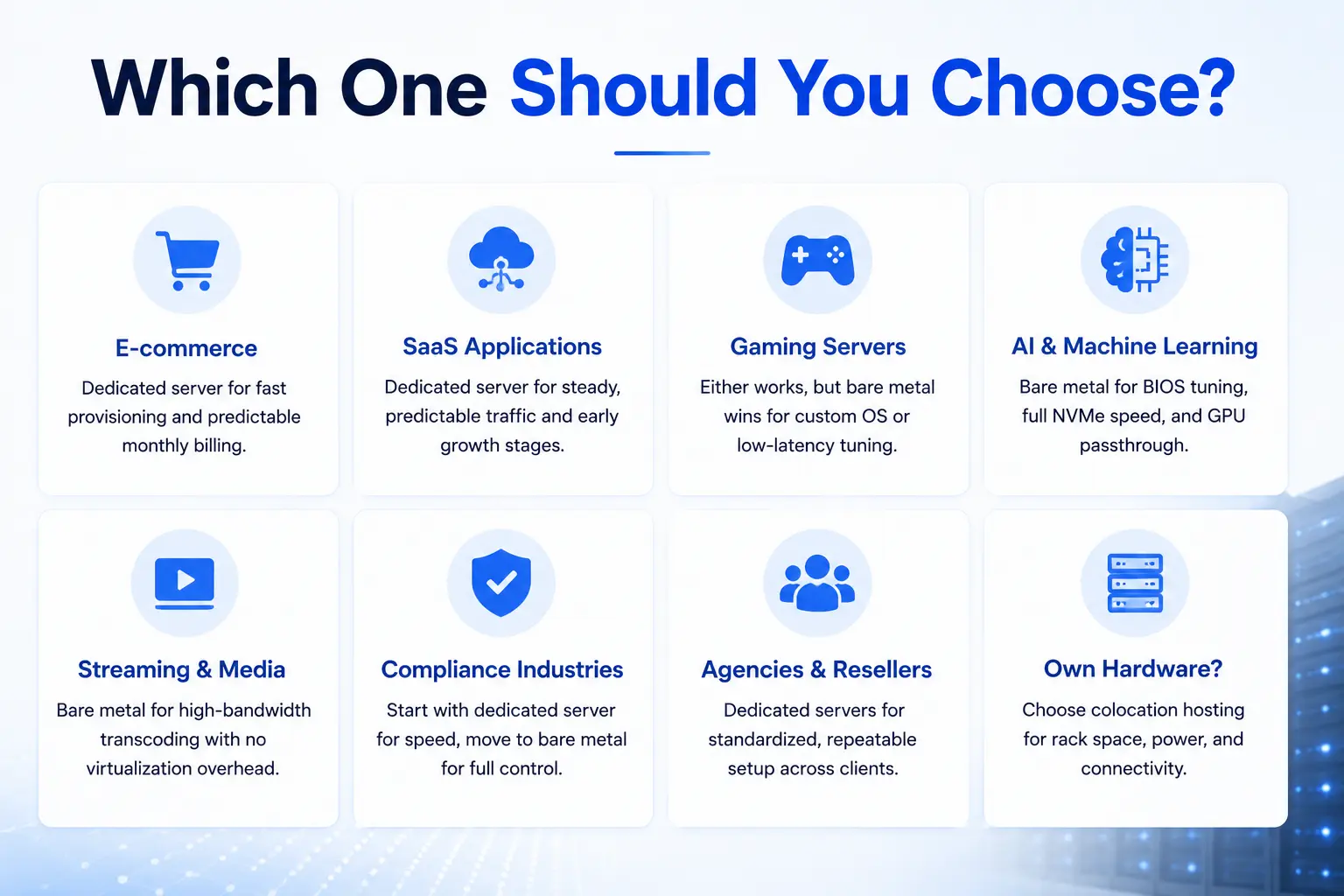
E-commerce platforms running standard storefronts benefit from a dedicated server’s fast provisioning and predictable monthly billing, since most e-commerce stacks don’t require custom kernel work.
SaaS applications with steady, predictable traffic patterns fit a dedicated server well, especially during early growth stages before infrastructure needs become highly specialized.
Gaming servers hosting multiplayer titles run well on either option, though bare metal earns the edge when you need a custom OS build or specific network stack tuning for low-latency matchmaking.
AI and machine learning workloads generally favor bare metal, since training jobs benefit directly from BIOS-level tuning, full NVMe throughput, and the option to deploy GPU passthrough without a hypervisor competing for resources.
Streaming and media platforms handling high-bandwidth transcoding lean toward bare metal when the workload needs dedicated CPU cycles without virtualization overhead competing for processing time.
Compliance-bound industries, including healthcare and financial services, often start with a dedicated server for faster deployment, then move to bare metal once their compliance team needs full control over the security stack.
Agencies and resellers managing multiple client environments typically prefer dedicated servers for the standardized, repeatable setup process across accounts. Agencies that already own hardware and need rack space, power, and connectivity instead of a leased server should look at colocation hosting instead.
Dedicated Server, Bare Metal, or VPS?
If your workload doesn’t need an entire physical machine, a VPS delivers dedicated resources inside a virtualized environment at a lower cost than either dedicated or bare metal hosting. VPS hosting works well for development environments, small to mid-traffic websites, and applications that don’t yet justify a full server’s cost. Once traffic or resource demands outgrow a VPS, stepping up to a dedicated server becomes the natural next move. Our breakdown of dedicated servers vs VPS hosting covers that transition point in more depth.
Key Questions Answered
Is bare metal the same as a dedicated server? Not exactly. Both describe single-tenant physical hardware, but bare metal specifically means no pre-installed OS or hypervisor, while a dedicated server typically ships with an OS and standardized configuration already in place.
Which is faster, bare metal or dedicated server? Performance depends on whether a hypervisor is running, not on the label. A bare metal server with no virtualization layer and a dedicated server with no virtualization layer deliver nearly matching results on equivalent hardware.
Is bare metal more expensive than a dedicated server? Cost depends on the hardware tier you select, not the label. Higher RAM, faster processors, and greater bandwidth drive cost on both dedicated and bare metal plans equally.
Can you switch from a dedicated server to bare metal later? Yes. Most providers, including Atal Networks, support migration between server types as your workload changes. Contact support to plan a migration path that fits your timeline.
Does a dedicated server include virtualization? It depends on the provider. Some dedicated server plans ship with a hypervisor pre-installed, while others leave that decision to the client. Always confirm the specific plan’s configuration before ordering.
Frequently Asked Questions
Do I get full root access with either option? Yes. Every Atal Networks dedicated server and bare metal plan includes full root access, giving you complete control over your operating system, applications, and security configuration.
What operating systems can I install? We support all major Linux distributions along with custom ISO uploads, so you can deploy the exact OS build your workload requires on either dedicated or bare metal hardware.
Do your plans include IPMI or KVM access? Yes. Our premium bare metal plans include IPMI and KVM access for remote hardware-level management, letting you reinstall the OS or troubleshoot boot issues without a physical visit to the data center.
How long is the contract term? Our plans run month to month with no long-term contract required. You can scale up, scale down, or cancel as your business needs change.
Can I migrate my existing setup to Atal Networks? Yes. Our support team provides free migration assistance for most plans, helping transfer your data and applications with minimal downtime.
What happens if my hardware fails? Every plan includes proactive hardware monitoring. In the event of a failure, our team works to replace affected components quickly, backed by our uptime SLA.
Can I upgrade bandwidth without migrating my server? Yes. You can upgrade from a metered plan to unmetered bandwidth, or move between 1Gbps and 10Gbps connections, without needing to rebuild your server from scratch.
What support is available if something goes wrong? Our team provides 24×7 support by live chat and email, with experienced engineers available to help with migrations, configuration questions, and troubleshooting.
Choosing the Right Server for Your Workload
The dedicated-versus-bare-metal decision comes down to one question: how much control do you need over the hardware layer, and how quickly do you need to deploy. A dedicated server gets you running fast with a standardized, supported configuration. A bare metal server hands you the keys to every BIOS setting, RAID array, and network interface, with the setup time that level of control requires.
Every plan we offer, dedicated or bare metal, runs on Dell server hardware with Intel Xeon processors, NVMe SSD storage, and RAID configurations, backed by a 99.99% uptime guarantee with a 100% SLA. Our network runs BGP-multihomed through Simply Transit across 213+ data centers in 196+ countries, with no overselling and no hidden fees on any plan.
Compare our full dedicated server pricing and plans to find the configuration that matches your workload, or check out our premium bare metal server offer if your project needs full hardware-level control from day one.